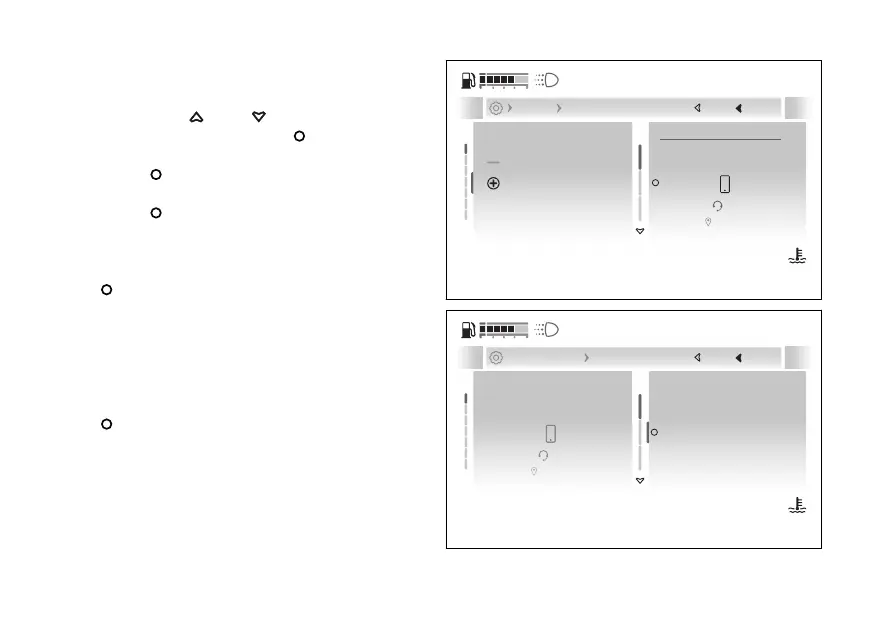
Adding a new Bluetooth device
●
Enter the menu.
●
Use
and to select the “Devices”
item and press the .
●
Select the “Bluetooth” item and press the
.
●
Select the “+Add device” item and press the
.
●
The three device types that can be paired are
displayed: “Phone”, “Headset”, “Navigator”.
Select the desired type and press the
.
●
The instrument panel searching for
nearby Bluetooth devices and displays the
message "Wait..." followed by a list of detected
devices. As soon as the search stage is over, all
detected devices are listed.
●
Select the desired device and press the
.
●
The display shows the message "Pairing…", while
waiting validation by the Bluetooth device. If
you are pairing a accept the pairing
request on the to proceed with
pairing.
Forget all devices
Samsung
Add device
RedMI
Phone
Headset
Navigator
Next
Close
Back
Devices Bluetooth
120
°C
09:09
am
N
Gear
Fig 219
Phone
Headset
Navigator
IPhone XYZ X...
Samsung YWS XXXXX
Samsung FTRS XXXXXX
Close
Back
... + Add device Phone
120
°C
09:09
am
N
Gear
Fig 220
251










 To Next Page