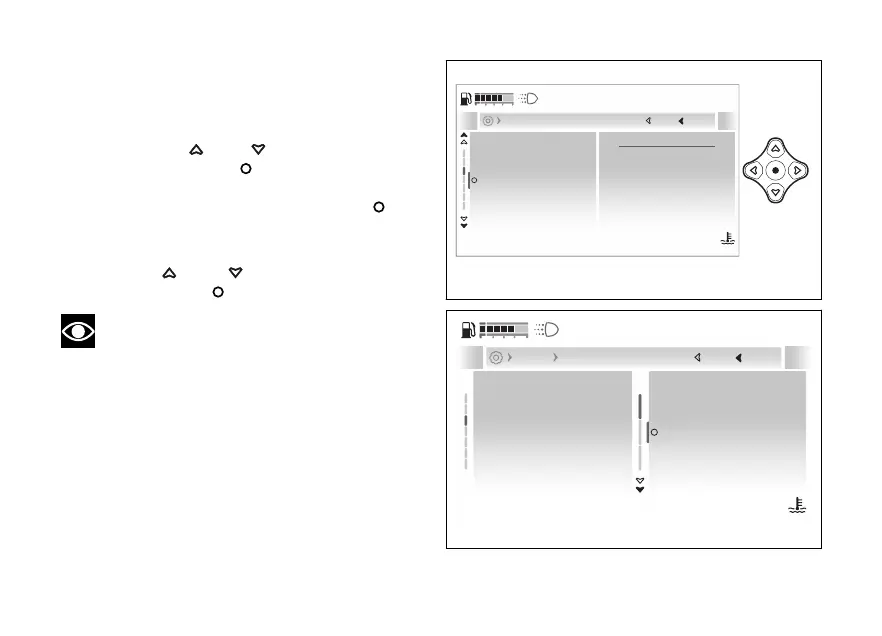
- Display - Date and time
This function allows date and time as well as
the relevant formats.
●
Enter the menu.
●
Use
and to select the “Display”
item and press the
●
Select the “Date and time” item: the current
is displayed. Press the
.
Options “Set date”, “Date format”, and “Set time” are
displayed.
Use and to scroll and select the
desired item. Press to confirm.
Note
If the date or time has not been set yet, dashes
- are displayed instead of the relevant values.
2024 / 12 / 21
09:09 am
Brightness
Date and time
Units
Language
Themes
Current
Close
Back
Display
120
°C
09:09
am
N
Gear
Fig 187
Brightness
Date and time
Units
Language
Themes
Set date
Date format
Set time
Close
Back
Display Date and time
120
°C
09:09
am
N
Gear
Fig 188
232










 To Next Page