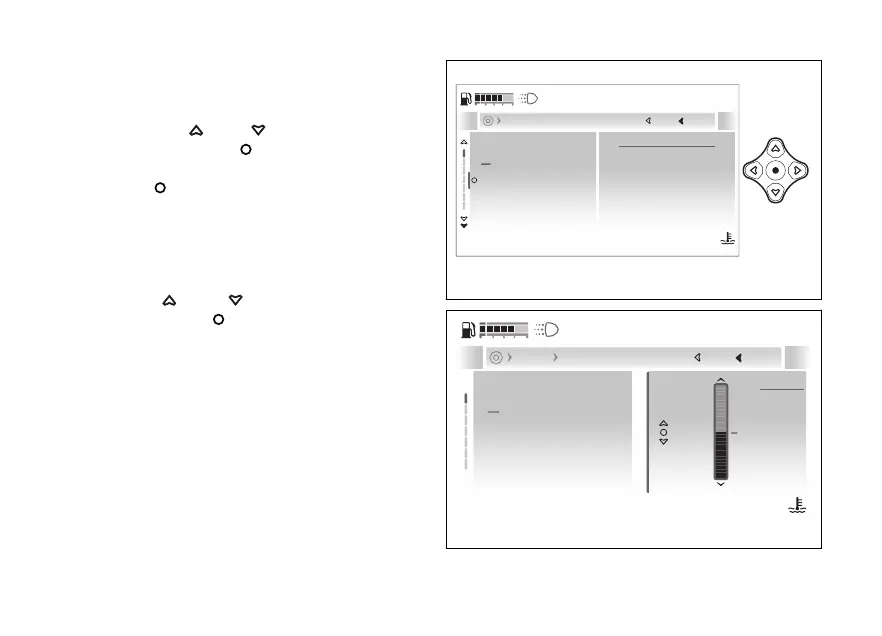
- Display - Brightness
This function allows dashboard backlighting
●
Enter the menu.
●
Use
and to select the “Display”
item and press the
●
Select the “Brightness” item and press the
.
A bar graph with the currently set intensity is
displayed.
At the top of the screen page is the path of the
parameter being set.
Use and to select backlighting
intensity. Press the to confirm.
The brightness is automatically adjusted according
to the ambient light detected by the instrument
panel. The backlighting intensity adjustment is
calculated in relation to what is detected by the
instrument panel.
Riding info order
Brightness
Themes
Date and time
15
Current
Close
Back
Display
120
°C
09:09
am
N
Gear
Fig 183
Riding info order
Brightness
Themes
Date and time
15
Min
Max
15
Current
Close
Back
Display Brightness
120
°C
09:09
am
N
Gear
Fig 184
230










 To Next Page