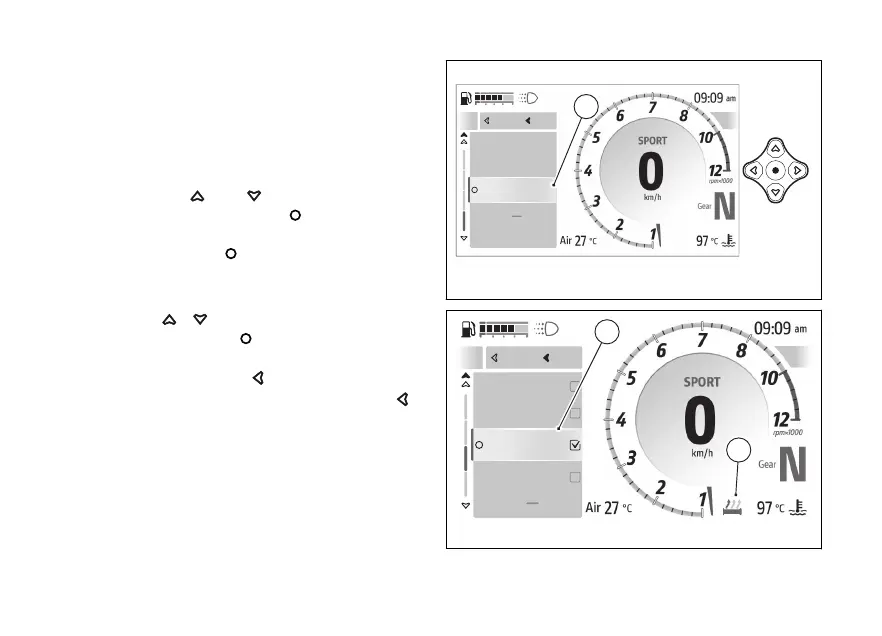
My ride - Heated grips (if available)
This function is only available if heated handgrips
have been installed and allows you to activate and
set the heating of the handgrips.
To open this function:
●
Open the function menu.
●
Use
and to select the “My Ride”
item and press the .
●
Select the item "Heated grips” item (A) and
press the
.
The window (B) is displayed, where the 4 available
heating levels are listed: High, Medium, Low and
Use to scroll through the available
levels. Press the to confirm the selected
level.
press the
to return to the
previous menu level or long press the
to
close the function menu.
Each level is associated with an icon (C) in grey when
heating is When the heating is activated, the
icon turns black if the display is in light theme and
white if the display is in dark theme. The display
theme can be changed using the “Themes” function
in the - Display” menu.
A
Infomode change
Lap
Close
Back
Riding Info
Heated grips
A
Fig 118
Close
Back
A
Of
Low
Medium
High
Close
Back
B
C
Fig 119
155










 To Next Page