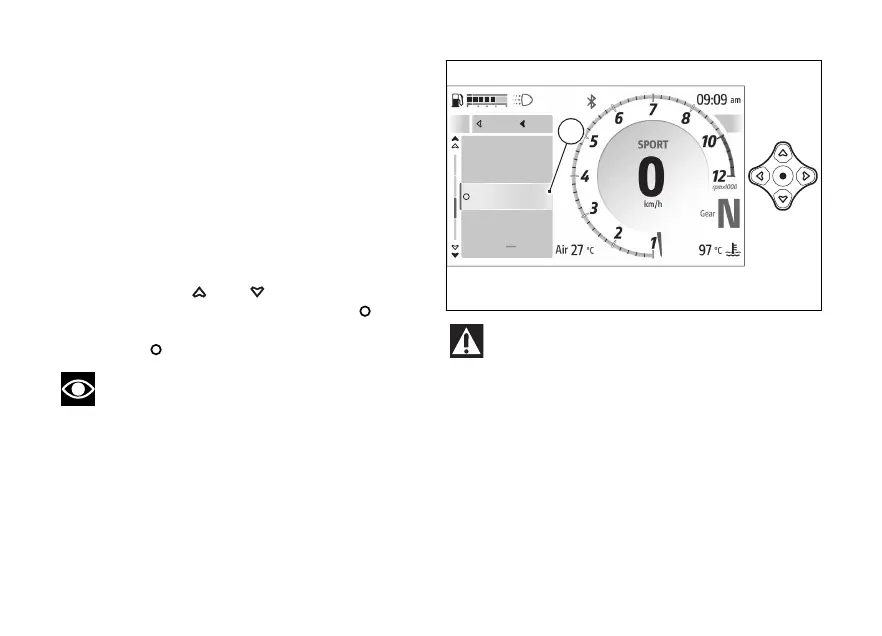
features - Music (if any)
This function is available only if the Bluetooth
control unit is installed and can be found in the
features” menu: it allows activating,
deactivating and managing the music player and can
be selected only if a has been
connected via Bluetooth.
To pair the Bluetooth devices use the “Bluetooth”
function in the - Devices” menu.
To open this function:
●
Open the function menu.
●
Use
and to select the
features” item and press the .
●
Select the “Music” item (A) and press the
.
Note
Music is played on the connected
via Bluetooth. If the rider and passenger intercoms
are also connected to the instrument panel the
music is played through the intercoms.
Ducati has tested many of the most popular
and recent however, the operating
systems and technological choices made by
manufacturers are not under Ducati's
control. Therefore, it is not possible to guarantee
operation on all phones on the market and their
and firmware. To check compatible
and operating systems, visit the Ducati
website.
A
Navigator
Phone
Music
Device Status
Close
Back
A
Fig 131
168










 To Next Page