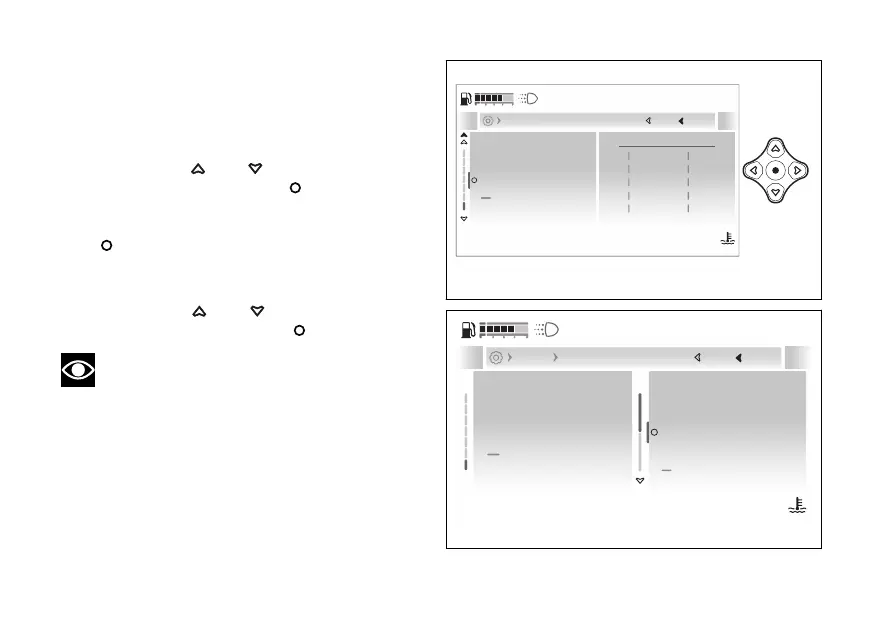
- Display - Riding info order
This function allows changing the order of the
general info and the order of the trip info within the
“Riding Info” menu in the “My Ride” function.
●
Enter the menu.
●
Use
and to select the “Display”
item and press the .
●
Select the “Riding info order” item: the current
information order is displayed. Press the
to confirm.
●
The “General info order” and “Trip info order”
items are displayed.
●
Use
and to select the desired
item and press the to confirm.
Note
Tyre pressure information is only visible if tyre
sensors have been installed.
1
Total
1
Trip 1
2
Cons.
2
ø Cons. 1
3
Range
3
ø Speed 1
4
Front tyre
4
Trip 1 time
5
Rear tyre
5
Trip 2
Current TripCurrent General
Close
Back
Display
120
°C
09:09
am
N
Gear
Fuel indicator
Riding info order
Trip master precision
Brightness
A
Fig 211
General info order
Trip info order
Close
Back
Display Riding info order
120
°C
09:09
am
N
Gear
Fuel indicator
Riding info order
Trip master precision
Brightness
A
Fig 212
246










 To Next Page