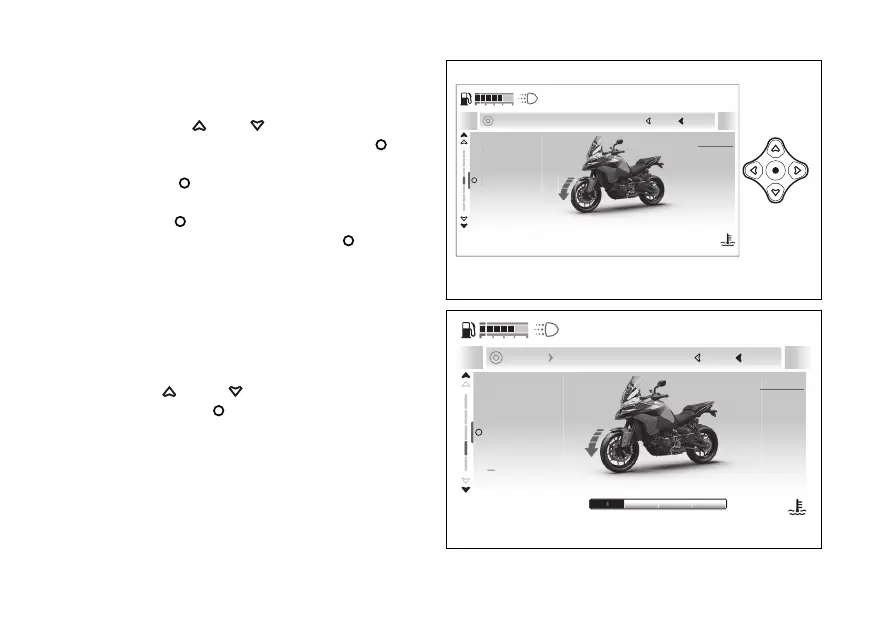
This function allows the intervention level of
the DWC or deactivating it.
●
Enter the menu.
●
Use
and to select the
“Advanced” item and press the .
●
Select the “Riding Mode setup” item and press
the
●
Select the Riding Mode you wish to customise
and press
.
●
Select the “DWC” item and press
.
The levels from 1 to 4 and are displayed. The
motorbike is also shown with the involved in the
highlighted followed by the reference
indications and the currently set level.
At the top of the screen page is the path of the
parameter being set.
Use and to scroll and select the
desired level. Press to confirm.
1
Current
Close
Back
... Spor setup
120
°C
09:09
am
N
Gear
Fig 172
PERFORMANCE
STABILITY
1
Current
Close
Back
... Spor Wheelie Control (DWC)
120
°C
09:09
am
N
Gear
Fig 173
214










 To Next Page