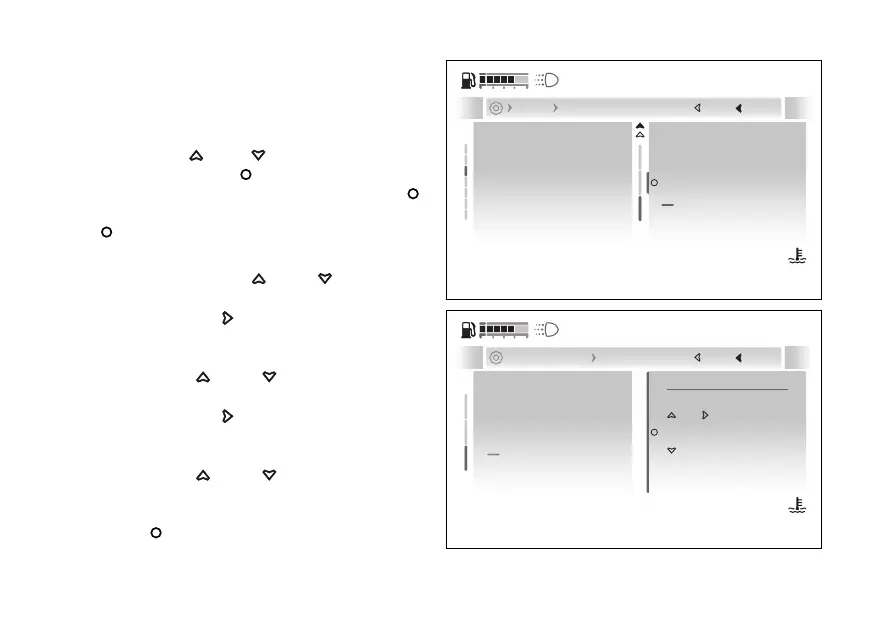
Set time
This function allows the time, in the example
shown here the time format is 12 hours (AM/PM).
●
Enter the menu.
●
Use
and to select the “Display”
item and press the
●
Select the “Date and time” item and press
.
●
Select the “Set time” item and press the
.
●
The first editable parameter is the 12h or 24h
format : use
and to scroll and
select the desired format.
●
Press the
to confirm and move on
and edit the hours.
●
The number of hours becomes selectable and
with
and you can scroll and
select the desired value.
●
Press the
to move on and edit the
minutes.
●
The number of minutes becomes selectable and
with
and you can scroll and
select the desired value.
●
Once the time entry is complete, press the
to confirm.
Brightness
Date and time
Units
Language
Themes
Set time
Date format
Set date
Close
Back
Display Date and time
120
°C
09:09
am
N
Gear
Fig 192
12h 09 : 09 am
Set date
Set time
Date format
Current: 12h 09:09 am
Close
Back
... Date and time Set time
120
°C
09:09
am
N
Gear
Fig 193
235










 To Next Page