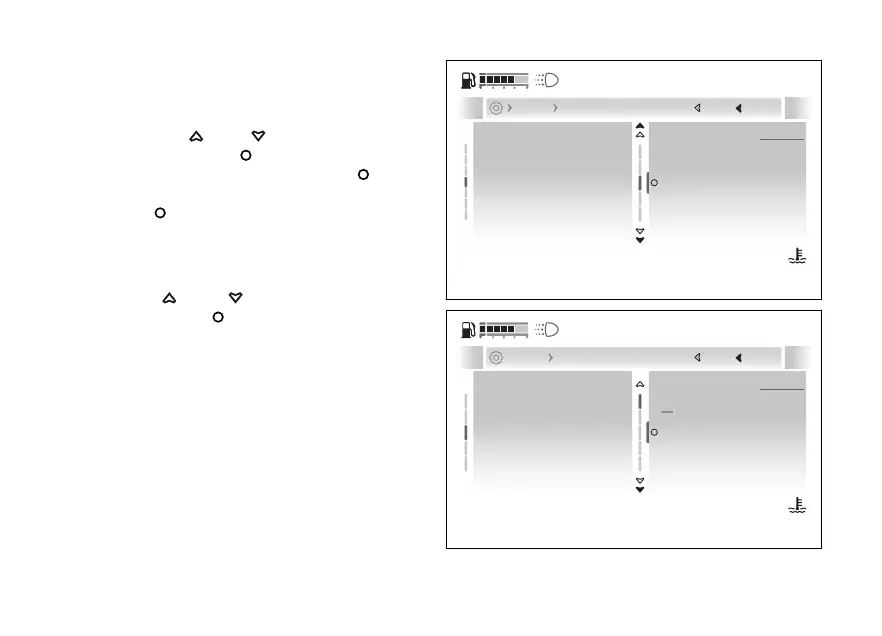
Consumption
To set the consumption measurement unit:
●
Enter the menu.
●
Use
and to select the “Display”
item and press the
●
Select the “Units” option and press
.
●
Select the “Consumption” item and press the
.
Options “L/100”, “km/l”, “mpg UK”, “mpg US” and
“Default” are listed (visible only if the measurement
unit has been previously changed).
Use and to scroll and select the
desired item. Press to confirm.
Themes
Units
Language
Fuel indicator
Date and time
l/100 km
Consumpt...
Pressure
Temperature
Speed
Default
Current
Close
Back
Display Units
120
°C
09:09
am
N
Gear
Fig 199
Close
Back
120
°C
09:09
am
N
Gear
l/100 km
Speed
Consumption
Pressure
Default
Temperature
l/100 km
km/l
Default
mpg (UK)
... Units Consumption
A
Fig 200
239










 To Next Page