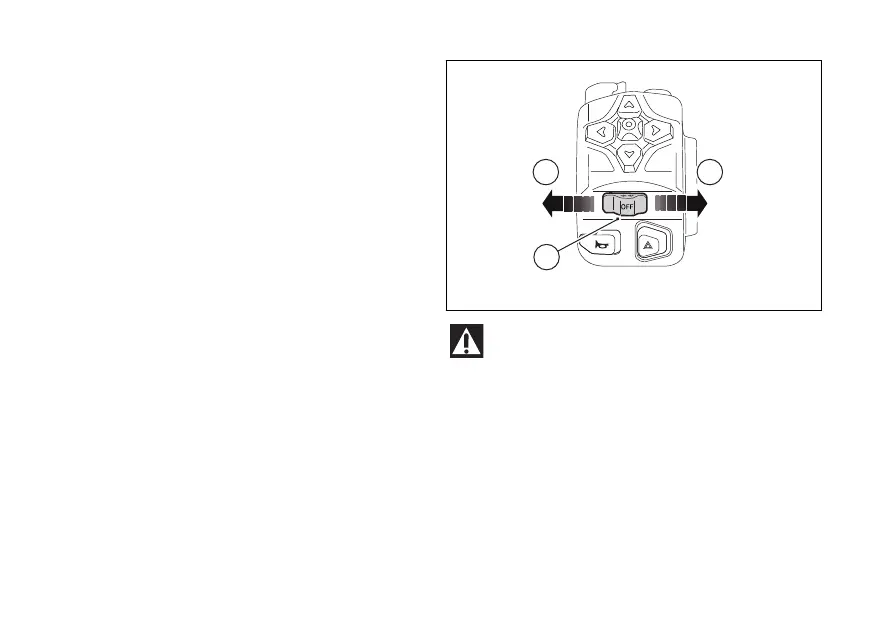
Turn indicators
Using the "Turn indicators" function in the
- Vehicle” menu, you can set the control of the turn
indicators to automatic or manual mode.
To activate the turn indicator, press (F), in
position (G); to activate the right turn indicator, press
in position (H).
To switch the turn indicators, press the (F).
Automatic
The turn indicators switch automatically the
turn, as calculated based on vehicle speed, leaning
angle and in general according to the analysis of
vehicle dynamic conditions.
This means that automatic is triggered
when vehicle speed exceeds 20 km/h (12.4 mph)
the turn indicator was pressed.
Turn indicators also switch automatically if they
remained on for a long mileage, which can range
between 200 and 2000 metres (656-6562 feet),
depending on vehicle speed when the turn indicator
was pressed.
If the turn indicator switch is again operated, while
turn indicator is still on, automatic feature
is re-initialised.
The automatic deactivation systems are assist
systems helping the rider control the turn indicators
in the most and easy way. Such systems
have been designed to work in most riding
manoeuvres, nonetheless the rider must pay
to the turn indicator operation (disabling
or enabling them by hand if needed).
Fig 60
80










 To Next Page