Maintenance measures - 500 h
4812160801_D.pdf2018-12-17
Air cleaner - Cleaning - Change
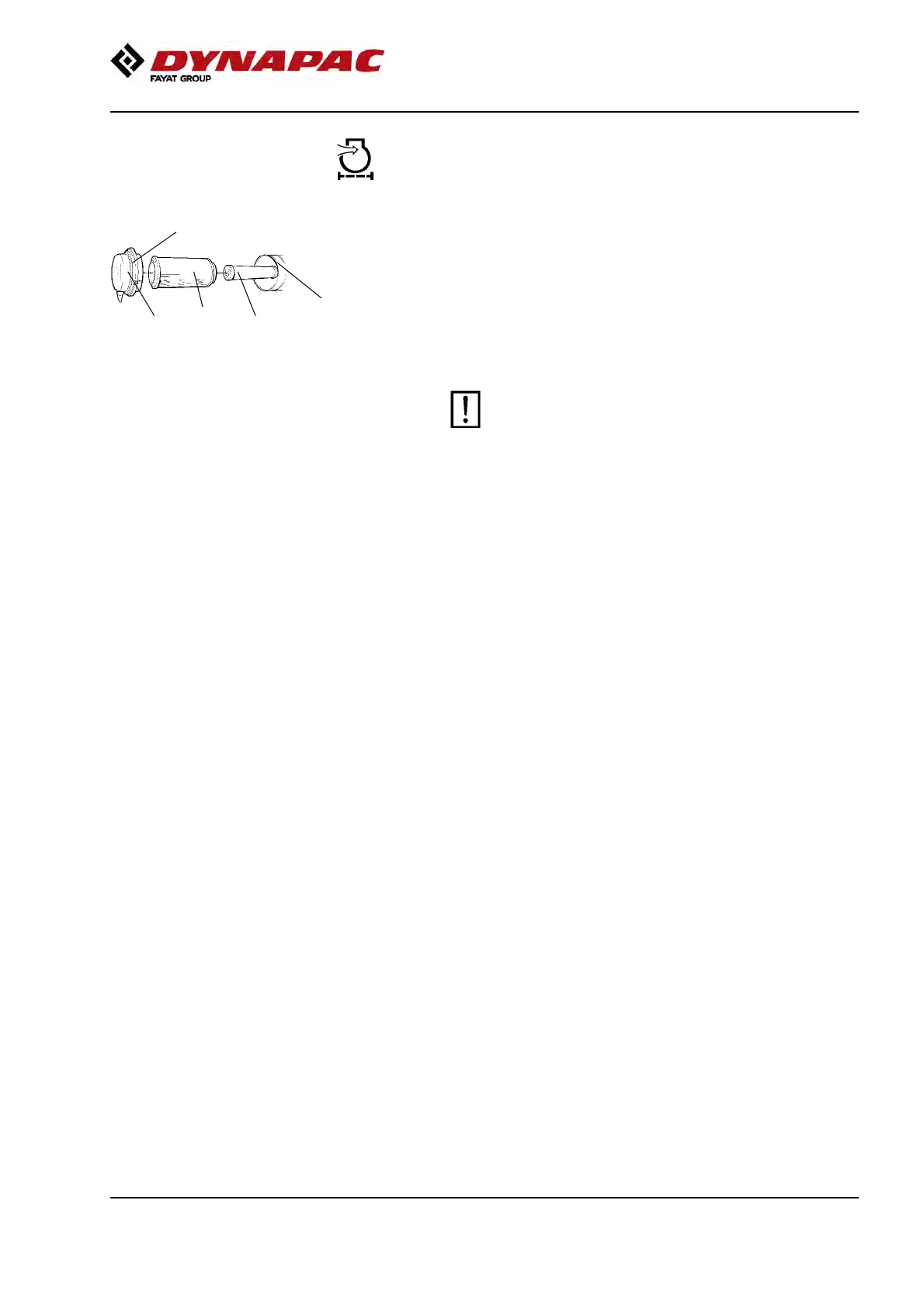
Fig. Air cleaner
1. Catches
2. Cover
3. Main filter
4. Backup filter
5. Filter housing
1
2
3 4
5
Clean the air cleaner. Remove the main filter (3) by
undoing the catches (1), and then the cover (2).
Check that the filter element is undamaged. Clean the
element by banging it against your hand or other soft
object.
Then blow clean with compressed air (max 5 bars)
from the inside of the filter. Also clean the filter
housing (5) and the cover (2).
Replace the filter cartridge after 5 cleanings or
more frequently.
Replace the filter cartridge after 5 cleanings or
more frequently.
85



 To Next Page