System error messages
The system error messages refer to the hardware of the controller including the connected SIOX Extension
Modules. The following system error messages are permanently stored in the firmware of the controller and
cannot be influenced by programming the CODESYS application, only their prioritisation.
No. Message text System error message
2 RAM Fault The internal data memory has a fault
4 EEPROM Fault The internal EEPROM (parameters memory) has a fault
8 RTC Fault Error in the real-time clock of the controller
9 Failure int SIOX Failure ext. SIOX x Internal SIOX extension module has failed
External SIOX extension module No. x (1..3) has failed
10 Battery Voltage Internal battery fault
16 Watchdog Internal watchdog of the pack controller deactivated (DIP switch S1
coding switch 6 = OFF, see chapter Installation and start-up GLT
x010 / SIOX)
50 First Start First start of the controller with loading of default parameters
51 Power Failure Restart of the controller after a power failure
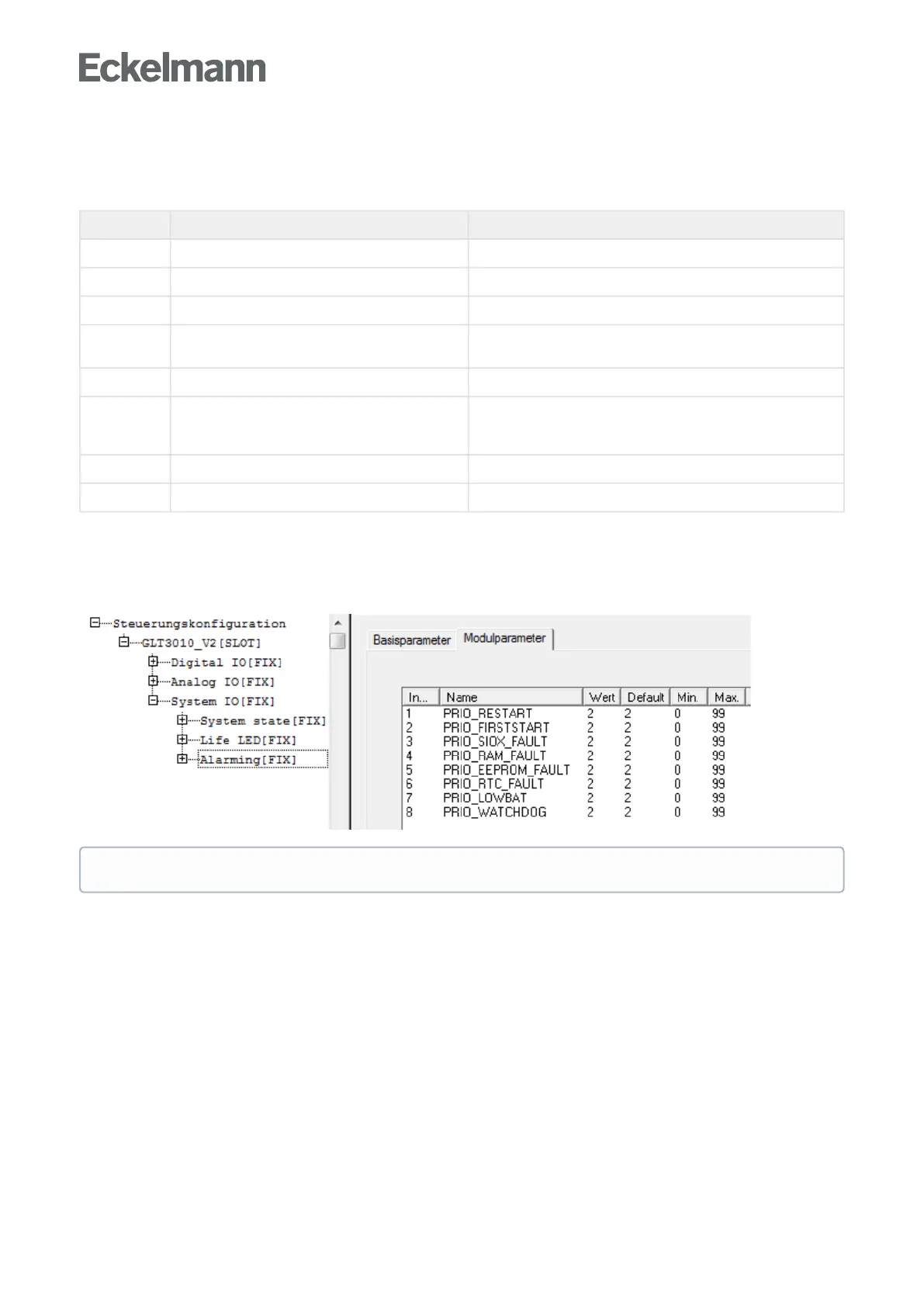
13.4 Setting the priorities
The alarm and message priorities can be changed in the Controller configuration with CODESYS before the
program is compiled, see column "Value" in the following figure:
At program runtime, it is no longer possible to change these alarm and message priorities!



 To Next Page