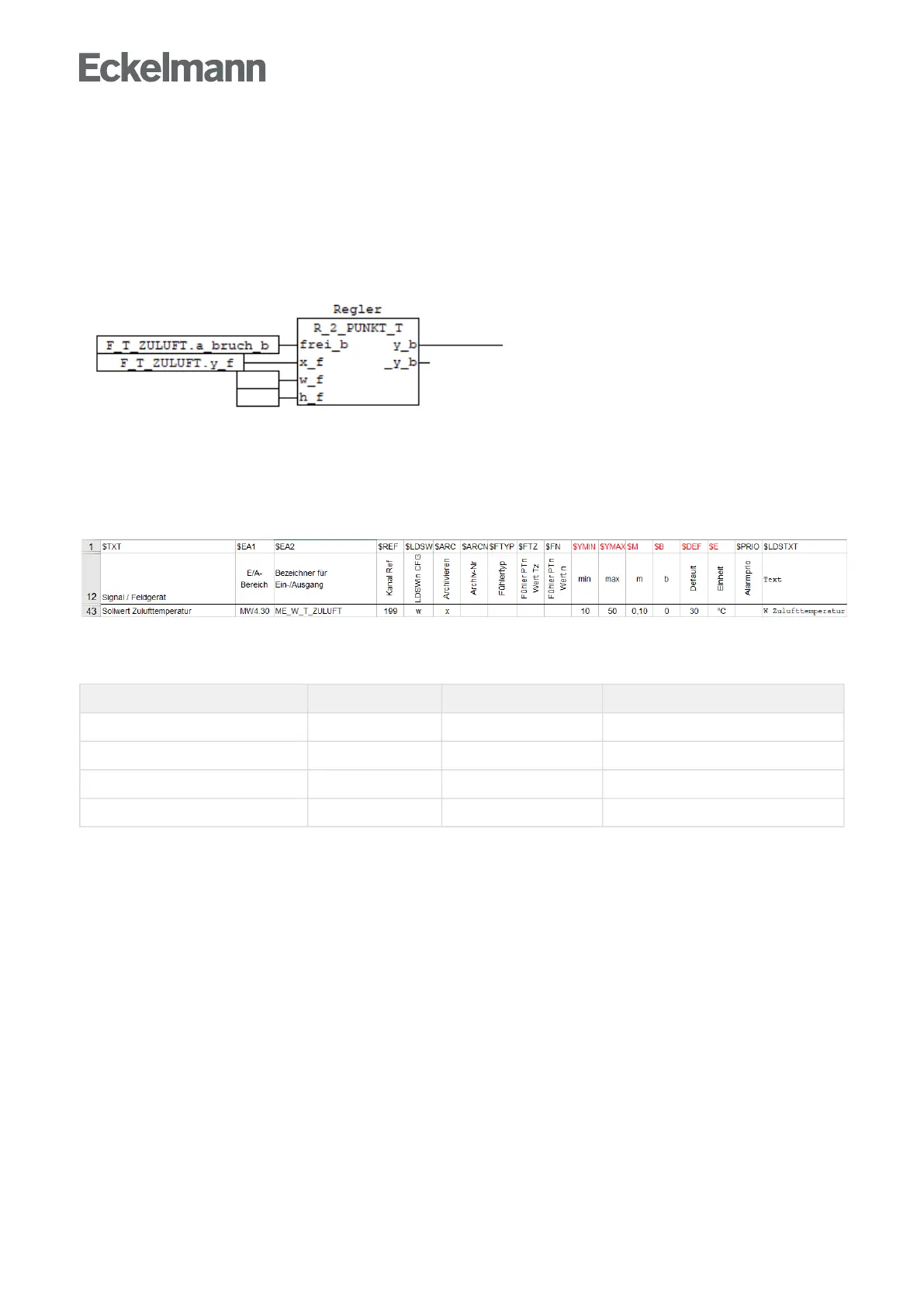
Function block All_Sensors
FUNCTION_BLOCK Alle_Fuehler
...
(* 27 ) F_T_ZULUFT( x_i:=E_T_ZULUFT );(* PT1000 *)
...
Use in the application
The calculated results can then be used as follows:
6.2.6 Marker $YMIN, $YMAX, $SM, $B, $E, $DEF
Setpoints for the runtime can be entered directly in the Signal List in the LDSWin visualisation for the control
and regulation of the system. The setpoints are entered in the Defaultcolumn,e.g.27.5°Centered.
The interface to LDSWin via the flag image can only show bits, bytes and words (16-bit values). In order to be
able to use values with decimal places, these must be converted to integer values by appropriate multiplication
by 10,100, 1000 etc. The system is informed via the increase m flag $M how many decimal places are desired:
Decimal places m Default Transmitted value
0 0 1500 1500
1 0.1 27.5 275
2 0.01 3 300
3 0.001 1.234 1234
The input of the setpoints in LDSWin can be limited downwards with column $YMIN and upwards with column
$YMAX.
Negative values are also supported for the $DEF setpoints.



 To Next Page