9.5 Firmware Update
The controller is delivered with the current firmware, ready for operation. Future software releases (e.g. with
extended range of functions) can be loaded via a firmware update to update the controller.
9.5.1 Requirements for firmware update
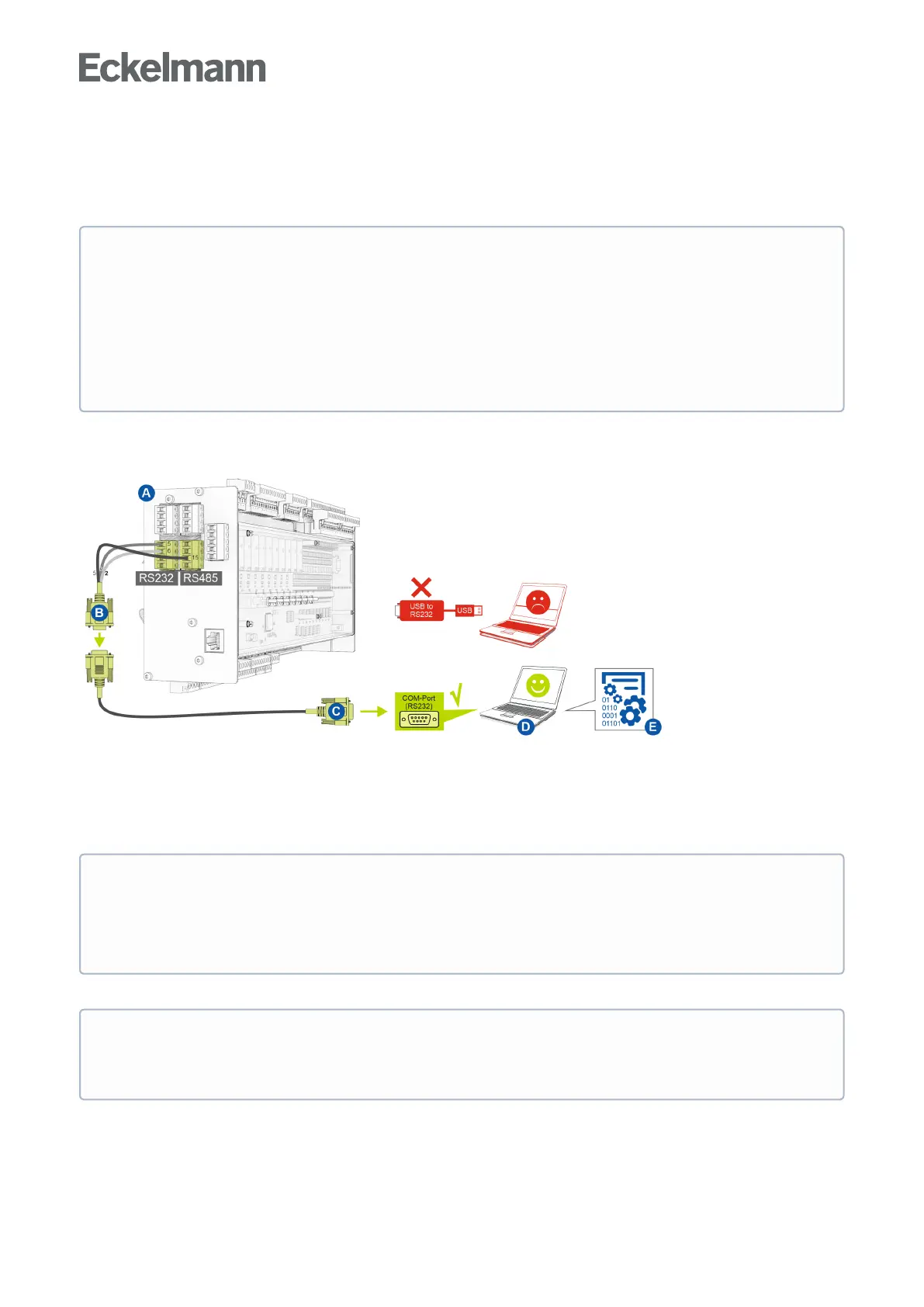
The following requirements are necessary for a firmware update:
(A) Controller
(B) Flash cable, part number KABLINDAD1
(C) Null modem cable, part number PCZKABSER2
(D) Notebook with COM port interface (RS232)
(E)Fileforthefirmwareupdate.
The current file for the firmware update is available in the EDP under https://edp.eckelmann.de/edp/lds/
_RdC4ujAibE.
ATTENTION
Damage to the installation and stock loss! Before the firmware update, the affected system
component or the system must be brought into a safe state as the shutdown of the controller during the
firmware update can have undesired effects on the system component and/or the system.
Caution: data loss! When changing the firmware version, all adjusted setpoint values are lost. As a
precaution, the settings should therefore be backed up by saving them using the LDSWin PC software
before the firmware update. After the firmware update, the saved settings can be reloaded into the
controller from LDSWin.
If no RS232 interface is available on the notebook (or PC), this must be equipped with an RS232
interface:
Notebook: PCMCIA COM port adapter
PC: PCI COM port card
IMPORTANT: A USB COM port adapter is expressly not recommended!
ATTENTION
It must strictlybeensuredthattheappropriatefirmwareupdateversionforthecontrollerisused!
Note: If necessary, it must be unpacked from the ZIP archive before use.



 To Next Page