•
•
•
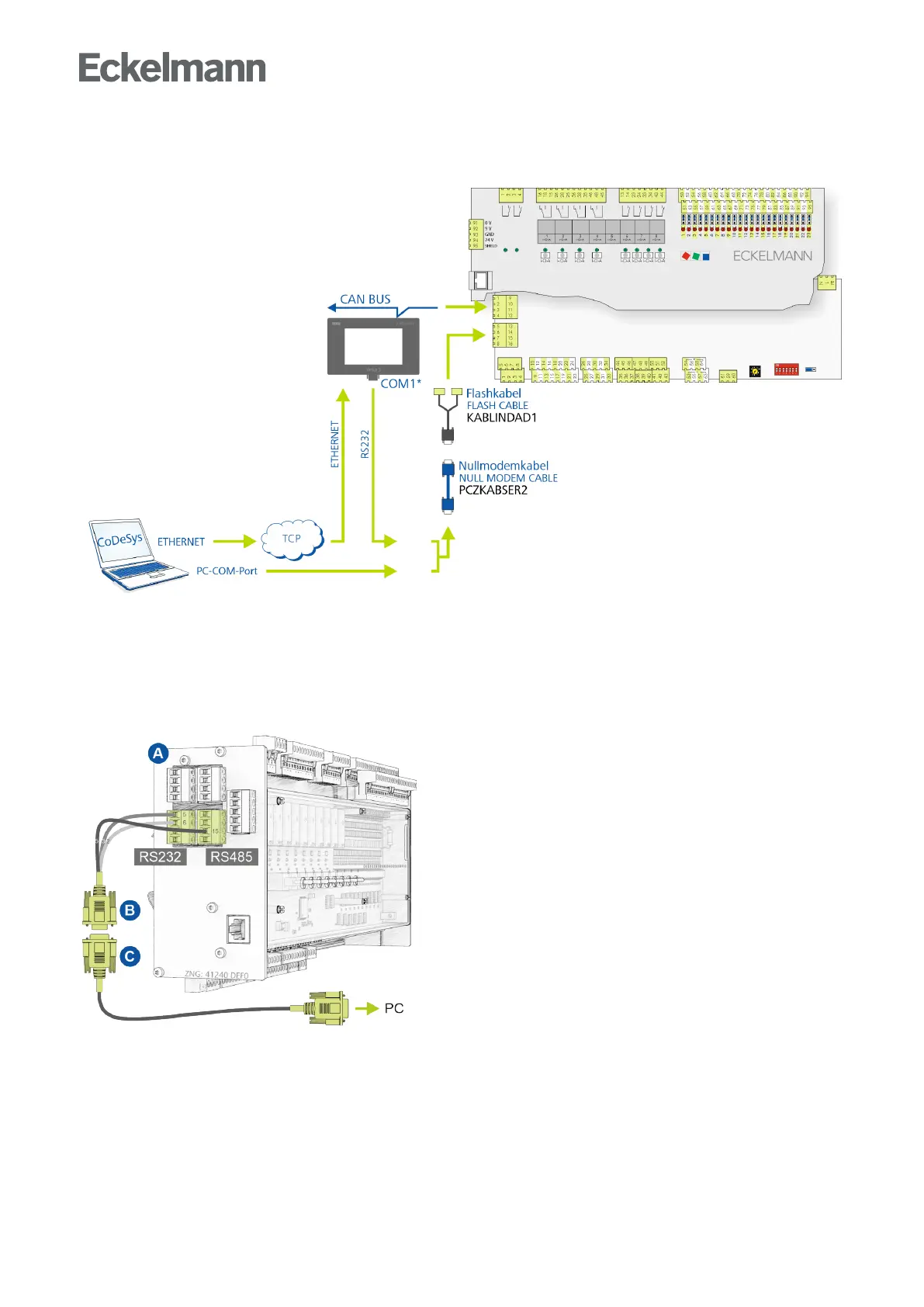
8.2.1 Connection to development PC
The controller must be connected to the development PC / notebook via the RS232 interface for application
programming with CODESYS. This requires:
Flash cable (B), part number KABLINDAD1
Null modem cable (C), 2 female connectors 9-pin Sub-D, part number PCZKABSER2
Notebook with COM port interface (RS232)
For details about the connection and the procedure, see chapter Update of the current firmware.



 To Next Page