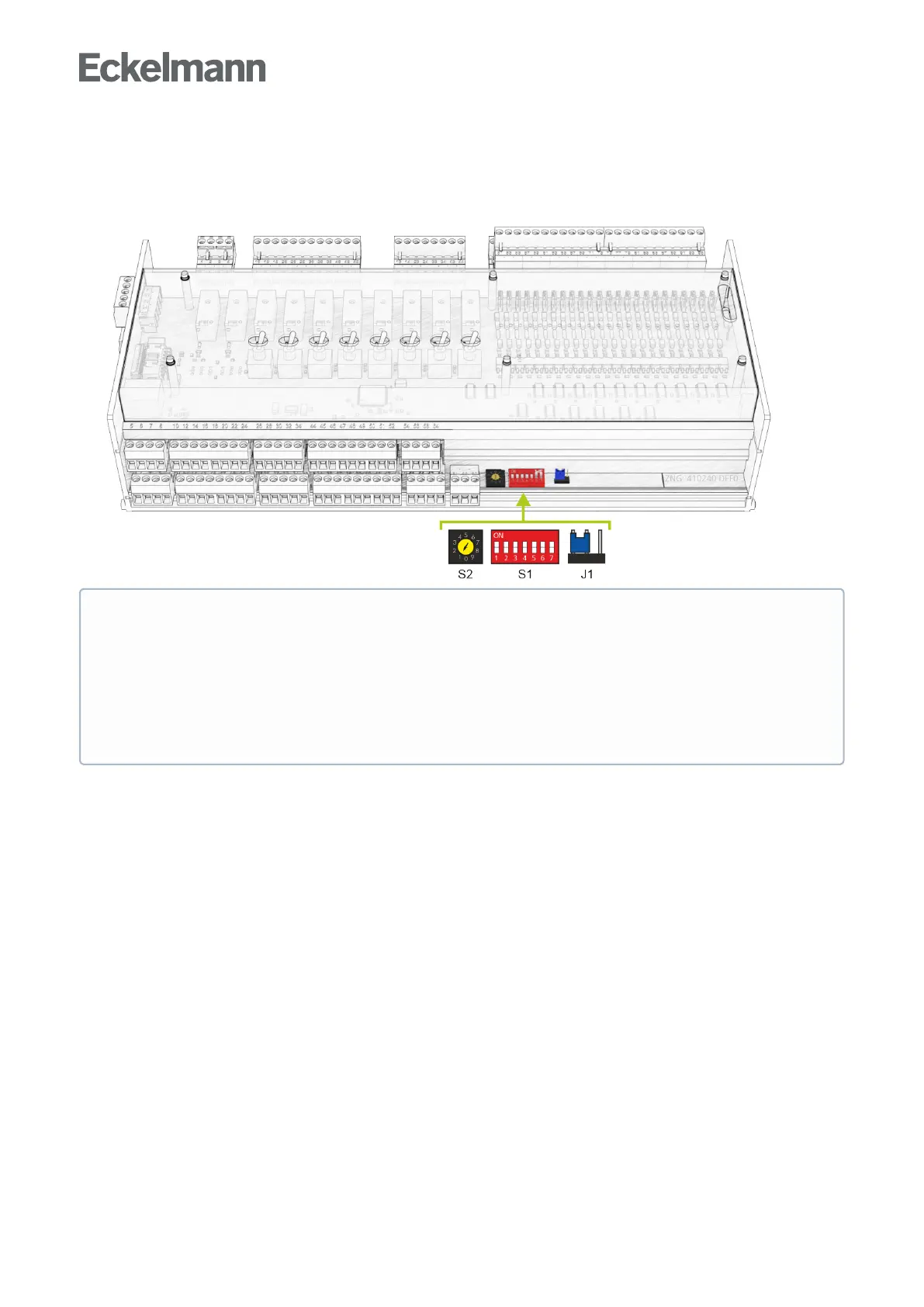
9.3 Default hardware settings
The default parameter settings can be configured using the decade switch S2, the DIP switch S1 and the
jumper J1.
•
•
•
These default settings must be configured before switching on the controller:
1.DIPswitchS1forsettingthefunctionality
Fordetails,seechapterDefault settings using DIP switch S1
2. Decade switch S2 for activation / deactivation as CAN bus node
For details, see chapter Setting the CAN bus address using S2
3. Jumper J1 for configuration of the RS485-/TTY interface
For details, see chapter Setting of the interface RS485/TTY using jumper J1.



 To Next Page