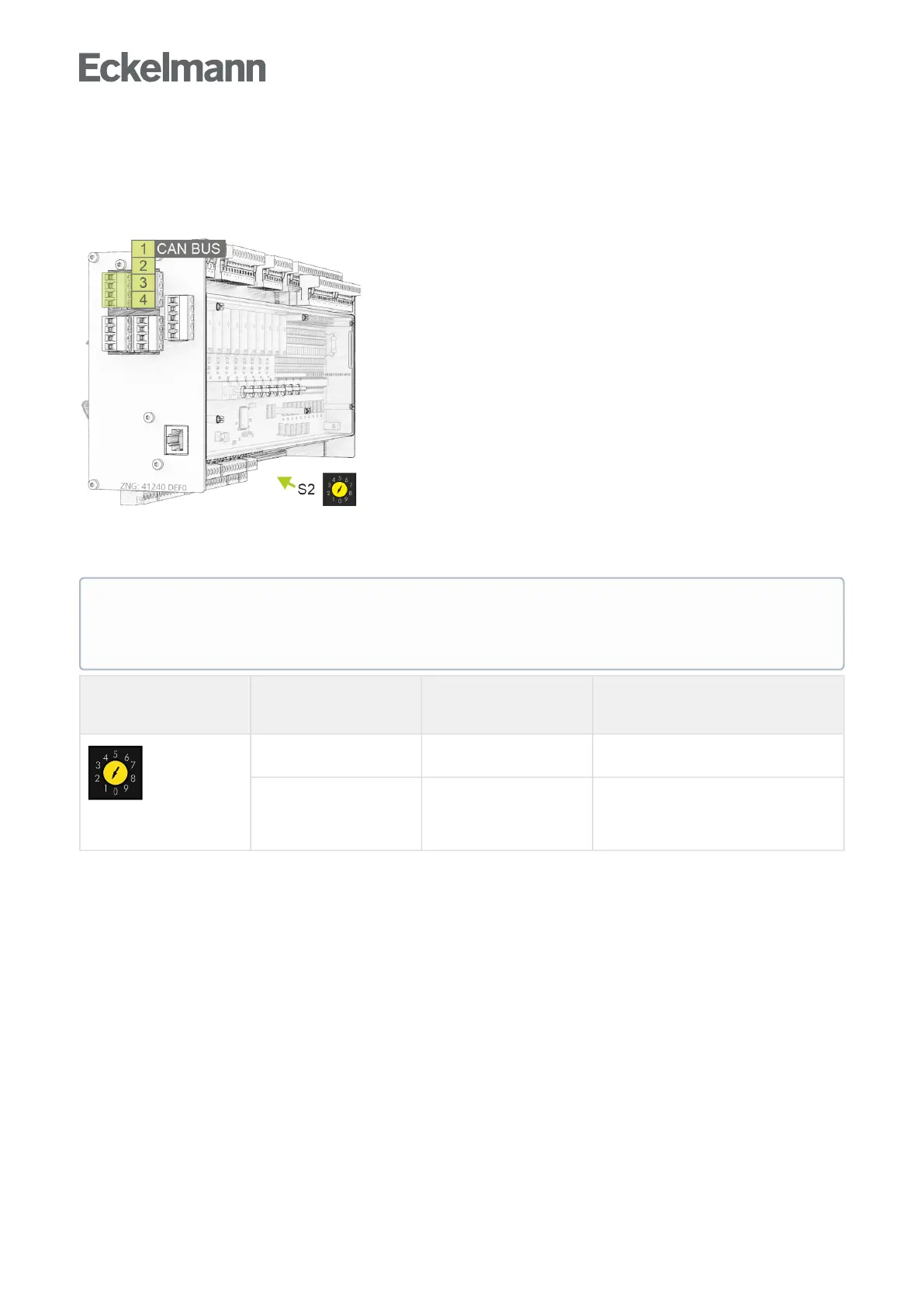
9.3.2 Setting the CAN bus address using decade switch S2
Connection to the CAN bus
The connection to the CAN bus is made using the terminals 1-4 installed on the left side:
Setting of the CAN bus address (node number) / deactivation of the CAN bus communication
The decade switch S2 specifies the CAN bus address.
Decade switch S2 Switch position CAN bus address
/ node number
(Kn.nnn)
Function
1..4 122..125 Assign CAN bus address 122..125 to the
controller
0, 5..9 NONE CAN bus interface deactivated (inactive,
disabled)
The controller is not detected as a CAN bus
node!
For further details about pin assignments, see chapter CAN Bus Assignment.
ATTENTION
After changing the switch position of S2, the controller must be disconnected from the power supply
for a short time so that the new settings will be adopted!



 To Next Page