7.4 Changes of GLT 5010 compared to GLT 3010
ThedatapointdescriptionisembeddedintheCODESYSprogramoftheGLT5010.Thecontroller,together
with the system centre, then takes care of the distribution in the system.
With the Signal List Tool (per controller), CODESYS export files with the name "EA_DDC_n_config.exp" are
created.
The respective file is imported as usual.
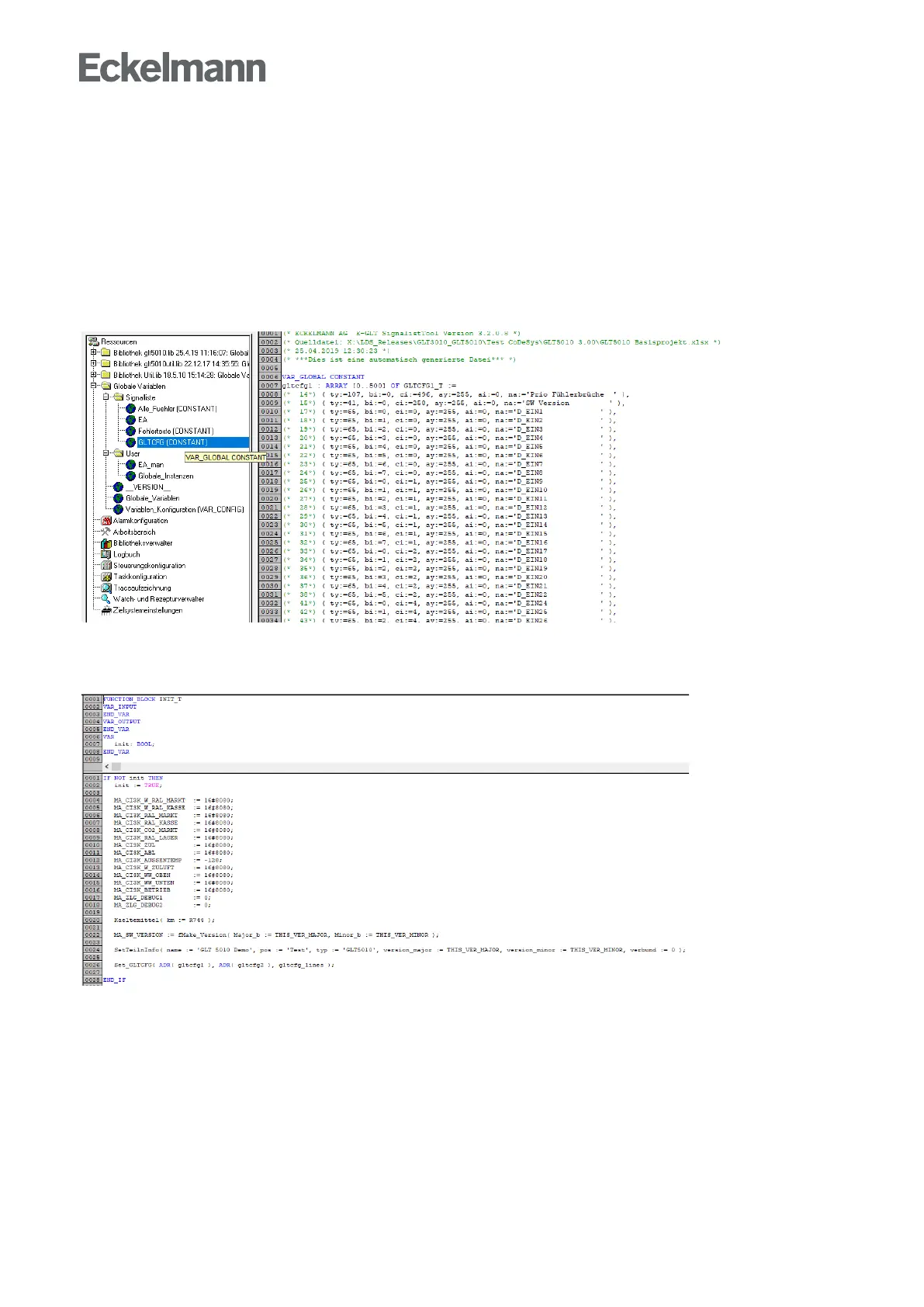
Under"Resources→GlobalVariables→SignalList→GLTCFG"youwillthenfindthetwostructurefields
gltcfg1 and gltcfg2.
As a last step, the pointers to the structure fields must be made known once to the operating system of the
controller via the function Set_GLTCFG(). In the example application, the module INIT_T is suitable for this
purpose:
When starting the controller, or more precisely: the CODESYS application, the operating system then
automatically transfers the complete configuration file "GLT.CFG" to the system centre CI 5x00 or Virtus.



 To Next Page