•
•
•
8 CODESYS
8.1 Creation of the application using CODESYS
The CODESYS development system, which is required for programming the GLT x010, can be obtained from
EDP. Before creating the program, the settings of the target system and the communication parameters must
be set. This is described in Target System Settings. Programming in the individual IEC 61131-3 languages is
described in the relevant CODESYS documentation. There you will also find the traffic light example, which is a
good introduction to the subject.
To establish a connection from the digital and analogue inputs and outputs of the controller to the sensors and
actuators, the signal list must first be created. See Signal List.
In the next step, the files required for CODESYS and the store computer are generated using the Signal List
Tool, for details see Signal List Tool.
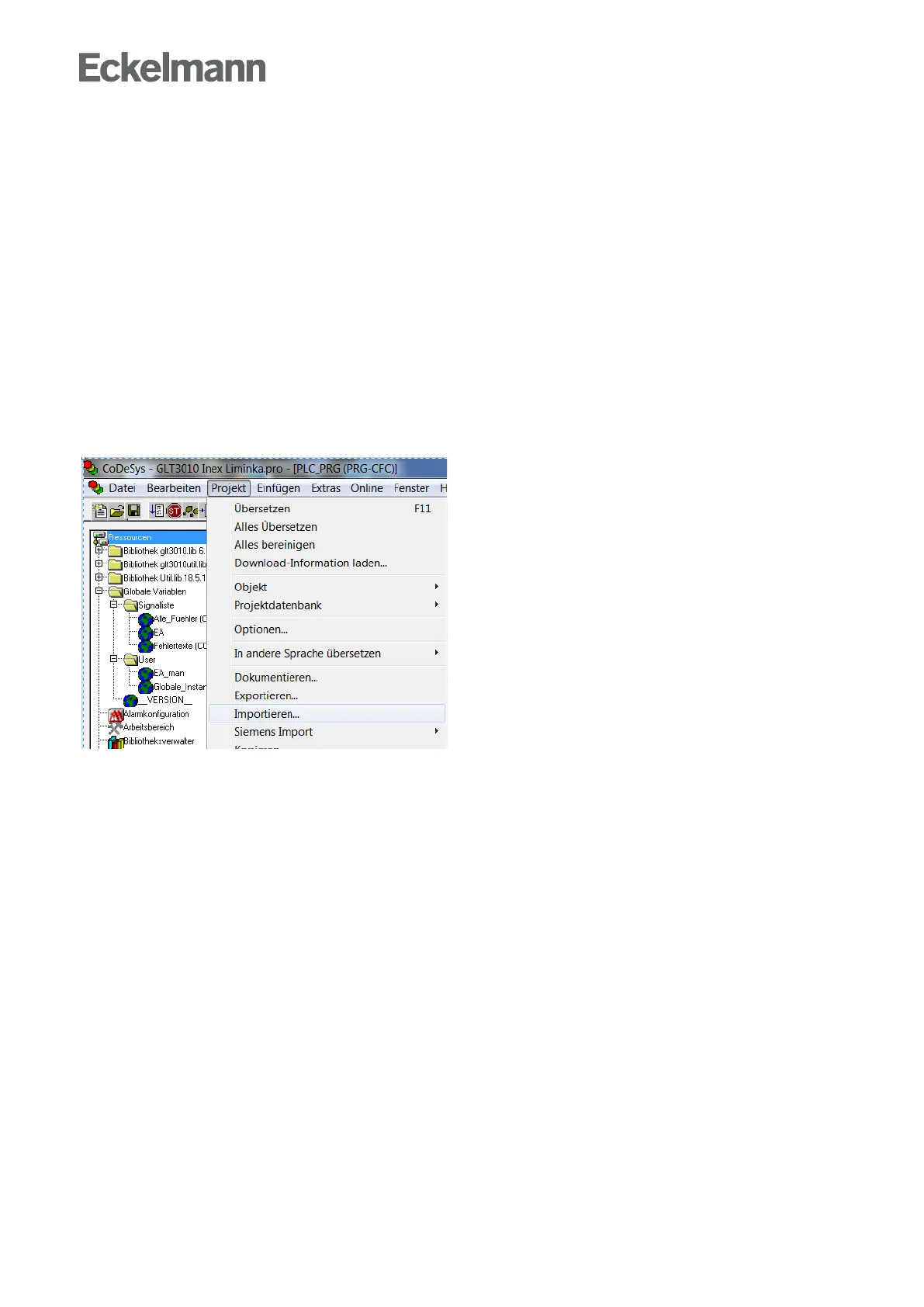
Importing the machine-generated source code into CODESYS
The procedure described below must always be performed when changes have been made to the signal list
withregardtothealarms,thesensorsorthesetpoints.IntheCODESYSmenu,clickonProject→Import...:
Inthefileselectionwindow"Importproject"thatopens,selectthefollowingthreefiles:
DDC_n_AlarmPrepare.exp
DDC_n_Fuehler.exp
DDC_n_Sollwerte.exp
For n, enter the number of the respective controller (1...4)



 To Next Page