141
Technical Publication Document NO: SYSTEM-007-ENG (Ver.1.1)
HF-525Plus Installation, Operation and Service Manual
6.2 Installation of calibration software program
6.2.1 Specifications
● Identification: ECO-GEN-CALIBRATION-PC-M
● Confirmation of PC specifications
√ System: Pentium MMX 200MHz or higher
√ Operating System: Windows XP Service Pack2 or higher
√ USB Interface: USB 2.0 or higher (USB 2.0 recommended)
6.2.2 Installation
● Turn on PC.
● Insert the CD for calibration software program into PC.
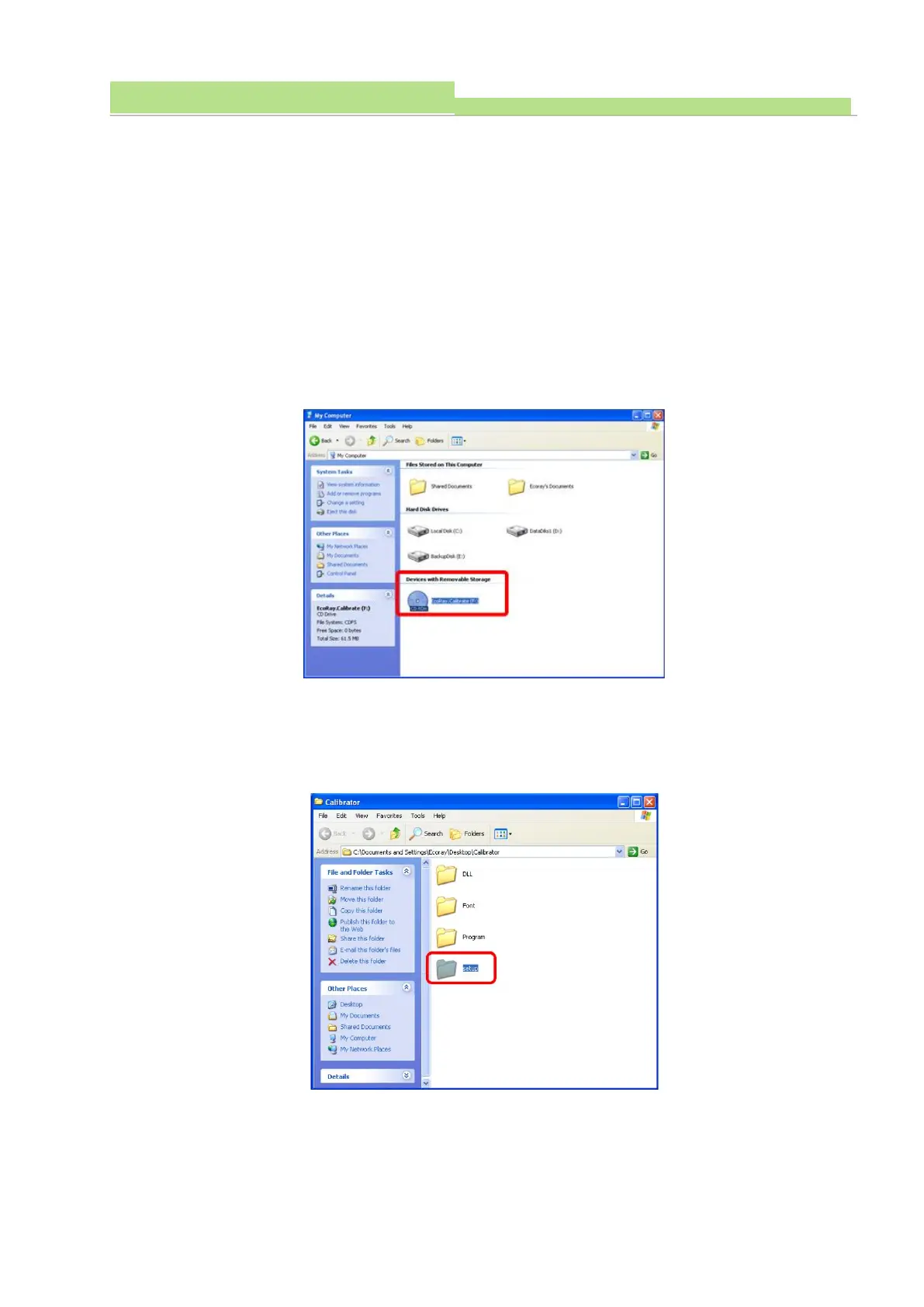
● Click “My Computer” icon from the wallpaper.
● On the “Devices with Removable Storage” pane, double click “EcoRay Calibrate”.
● On the “Calibrate” pane, copy “Calibrate”.
● Move the “Calibrate” on the wallpaper.
● On the wallpaper, double click “Calibrate”.
● On the “Calibrate” pane, double click “Setup” file.



 To Next Page