183
Technical Publication Document NO: SYSTEM-007-ENG (Ver.1.1)
HF-525Plus Installation, Operation and Service Manual
8.3 EMERGENCY Switch operation
8.3.1 Power Off
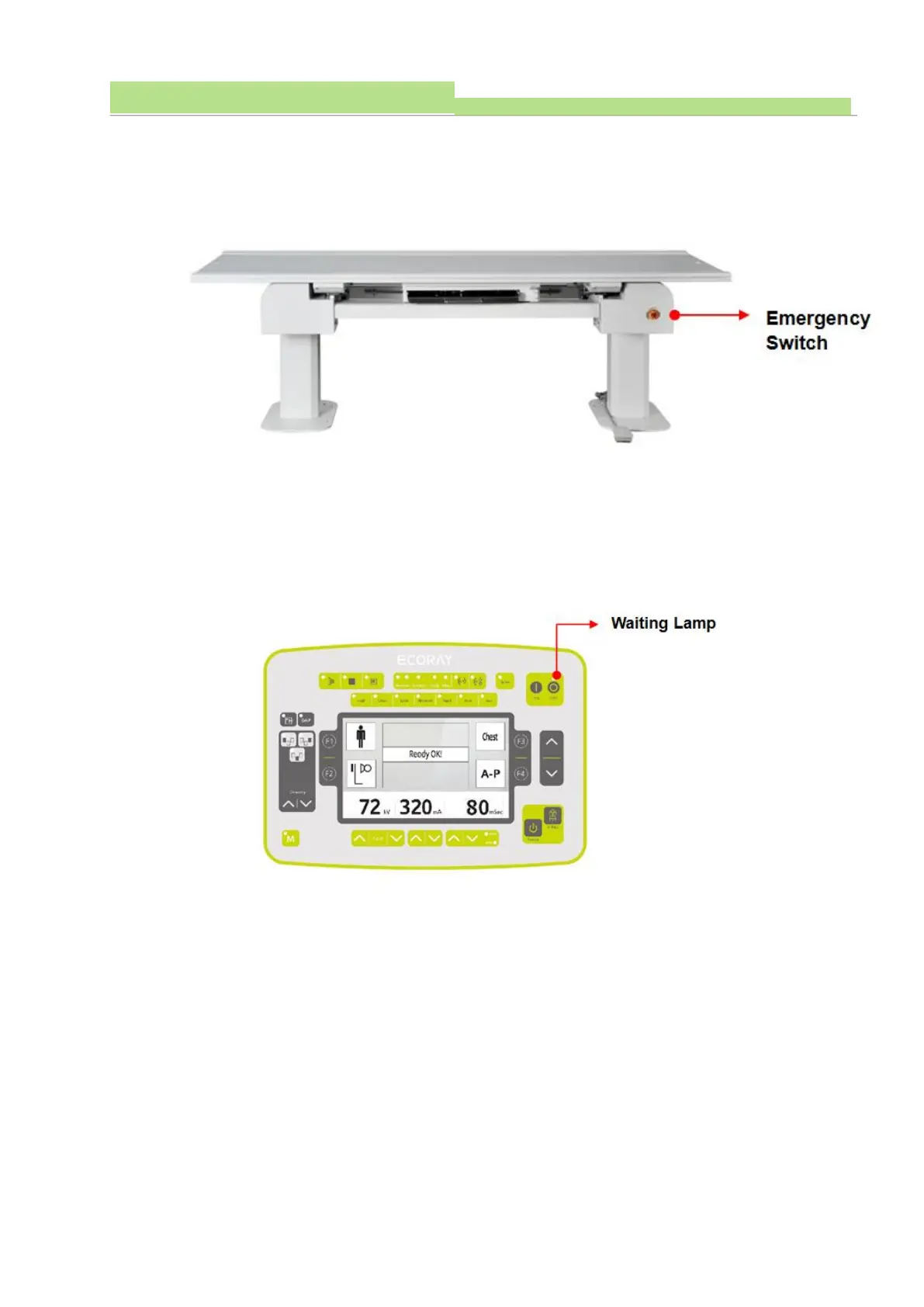
■ In case of emergency, press the Emergency switch on the side of the Table Buckle to shut off the
power.
● If an emergency occurs during system operation, turn off the power by pressing the Emergency
switch attached to the side of the Table Buckle.
● When the Emergency Switch is "Off" in the console, the Waiting Lamp Switch is "Off".
● When the Waiting Lamp Switch is "Off", the x-ray system cannot be operated.
● To operate the X-ray system, the Emergency switch should be restored to the normal state and the
"Off" Switch Waiting Lamp should be turned on.
8.3.2 EMERGENCY STOP Function Test
● Before using the X-ray system, check the EMERGENCY Switch status and check whether the power
is normally shut off when operating the EMERGENCY Switch.
● Operating sequence of EMERGENCY Switch
√ Press the EMERGENCY Switch to shut off the power.
√ Check the Standby Lamp and Waiting Lamp on the console are lit.
√ After operating the EMERGENCY switch, check the X-ray system power is off.
√ Operate the console’ s Power ON Switch more than three times.
√ Check the X-ray system does not operate after the Console’ Power “On”
√ Turn the EMERGENCY switch clockwise to operate the x-ray system normally.



 To Next Page