181
Technical Publication Document NO: SYSTEM-007-ENG (Ver.1.1)
HF-525Plus Installation, Operation and Service Manual
8 Starting and Shutting Down the System
8.1 Preparing for the X-ray System Operation
■ Check the voltage to be supplied to the X-ray system.
■ Connect the power to the X-ray system.
■ The following should be checked before X-ray system operation.
√ Check the capacity, grounding and overload status of the circuit breaker.
√ Check the power cable connection
√ Check the radiation shielding facilities of the radiation room and wear appropriate radiation
protective clothing if necessary.
8.2 Normal X-ray system operation
8.2.1 Power On
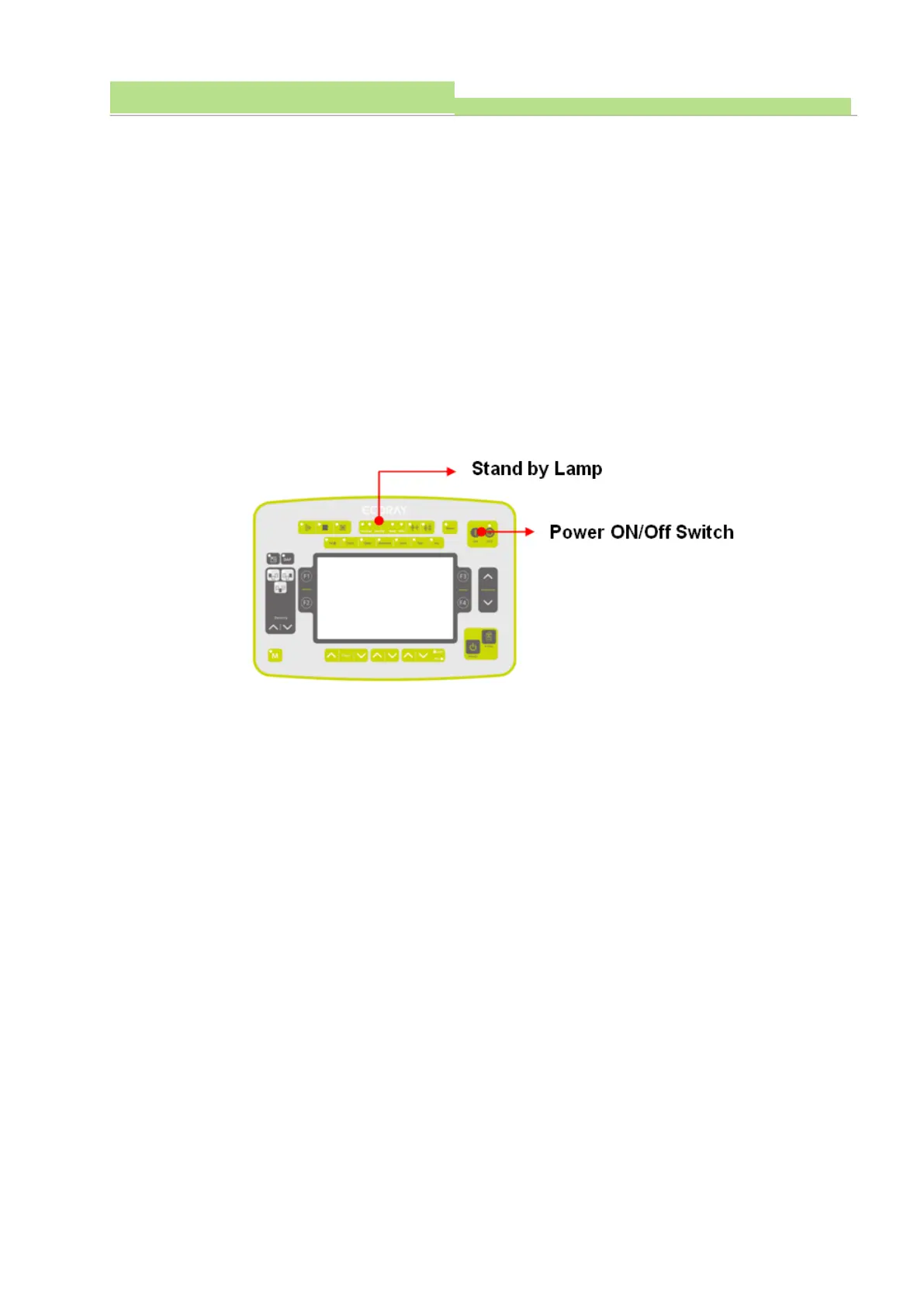
■ Check the Standby lamp on the console. (Normal: Yellow lamp lights)
■ On the console, press the Power Switch to"ON" the power.
■ The Standby lamp on the console flashes yellow and green.
■ While the Standby lamp is flashing, the generator operation status is automatically checked by the
program and is executed for about 20 seconds.
■ When the X-ray system is in operation, the operation status is displayed on the LCD display as
shown below.



 To Next Page