155
Technical Publication Document NO: SYSTEM-007-ENG (Ver.1.1)
HF-525Plus Installation, Operation and Service Manual
6.6.6 Start calibration
● Install equipments for calibration. (Refer 3 of this chapter)
● Execute “Calibration window”.
6.6.7 Selection of X-ray tube and small focal
● Select a suitable X-ray tube and small focal.
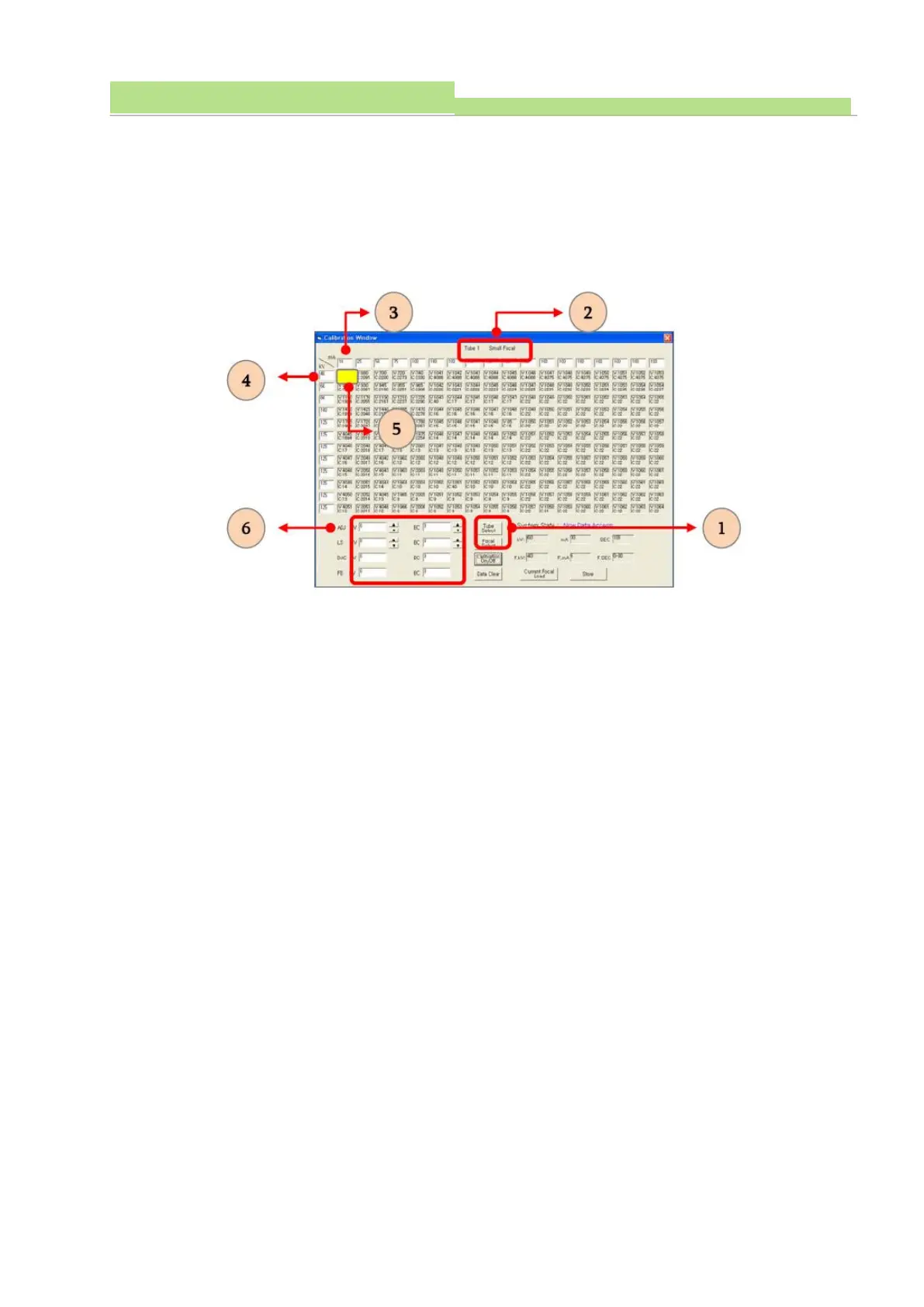
● Check the selected of focal (see No 2 of the above fig).
● Click the No 5 related to No 4 for min. kV and No 3 for min. mA (see No 3, 4, 5 of the above fig).
● When click the No 5, the colume changes to yellow colour. (see No 5 of the above fig).
● Check the selected data (see No 6 of the above fig).
● Execute “X-ray exposure”.
● Note: Under pushing “Ctrl” on keyboard for “Ready”, pushing “X” on keyboard for “X-ray exposure”
● Check the detected kV and mA (see No 6 of the above fig).
● On the “ADJ”, change data (see No 6 of the above fig).
● Click “Enter” on keyboard.
● Execute “X-ray exposure”.
● When the detected kV and mA are not incorrect, execute “X-ray exposure” again and change data.
● Click “Enter” on keyboard.



 To Next Page