146
Technical Publication Document NO: SYSTEM-007-ENG (Ver.1.1)
HF-525Plus Installation, Operation and Service Manual
6.4.2 Selection of the communication port
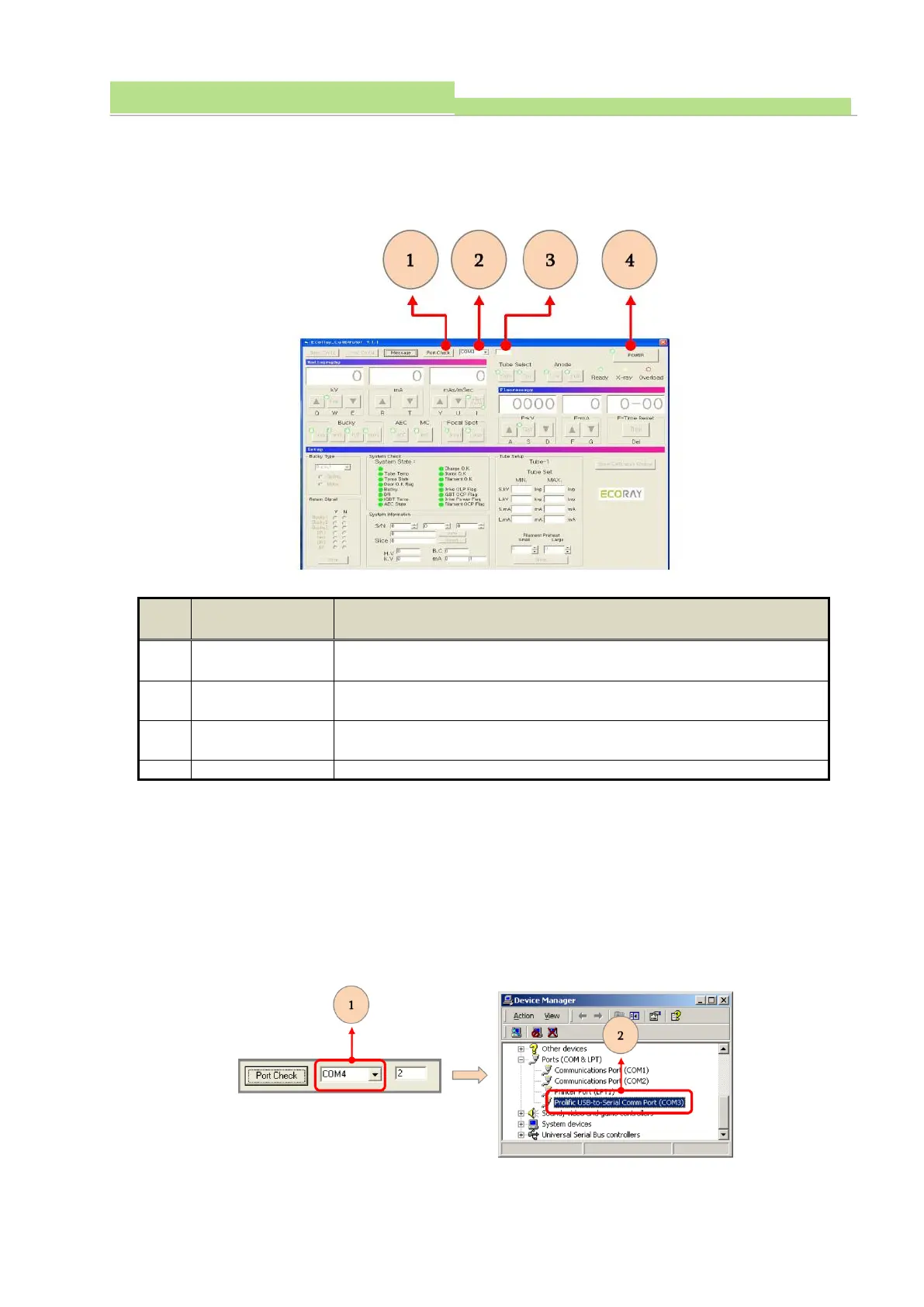
● Click “Port Check”, and confirm that the selected communication port is a suitable one from COM1 to
COM5.
● If the communication port is selected in normal range, click “Power ON”.
● Execute “Operation & Setup Part”
Confirm setting for communication
Confirm the selected communication port
Communication
signal Check
Display the communication signal between PC and program
Supply power to generator, when “Power ON”
NOTE▶
If the communication port is not selected in normal range, “Power ON” button will not operate.
6.4.3 Reselection of the communication port
● If the communication port is not selected in normal range, change the selection of “USB to RS232
Converter”.
● The change the selection: Refer to 6.7
● Confirm the setting between PC and calibration program.



 To Next Page