SE-1201 Electrocardiograph User Manual System Setup
- 82 -
Chapter 10 System Setup
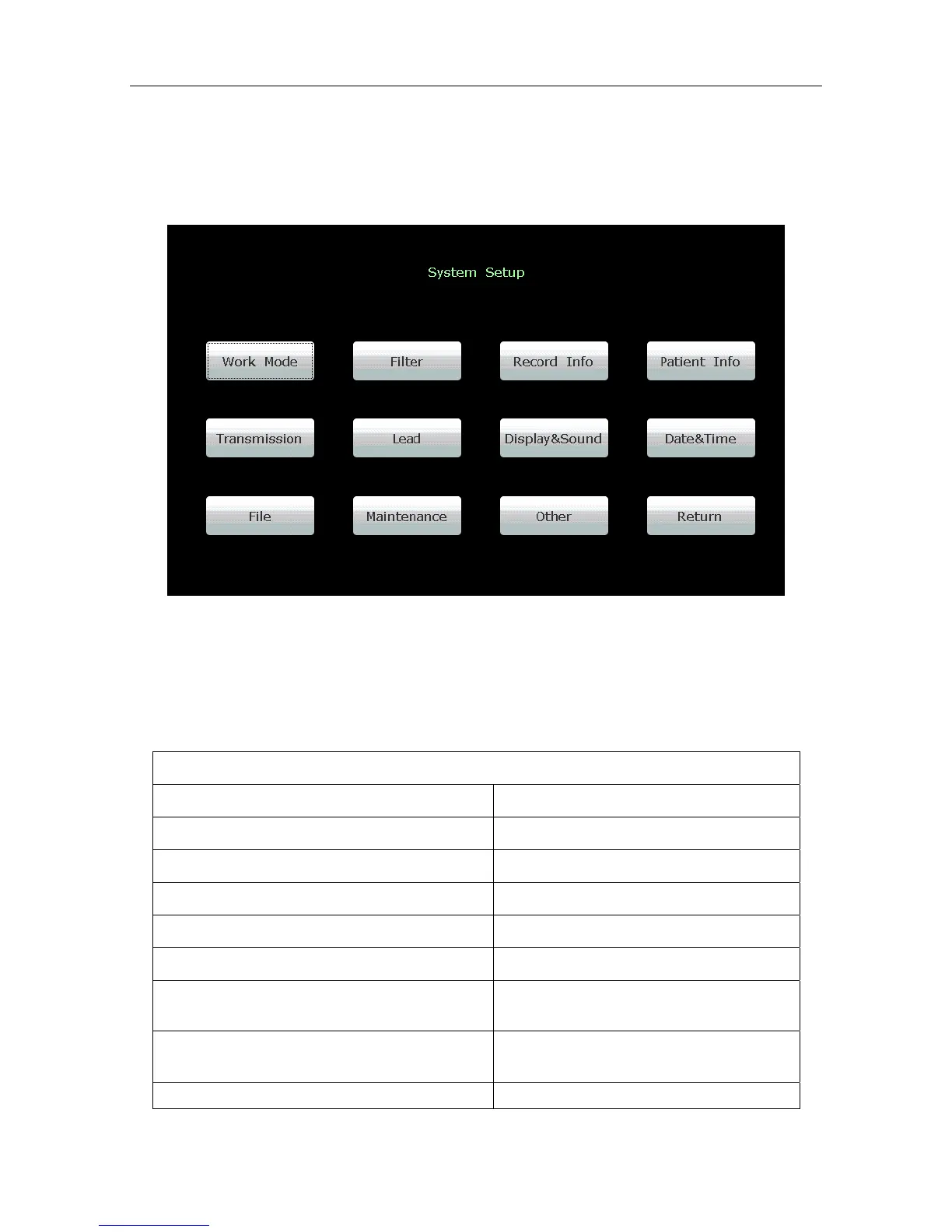
Select Setup on the main screen 2 to display the System Setup screen.
Figure 10-1 System Setup Screen
10.1 Factory Defaults
Table 10-1 Factory Defaults
Work Mode Setup
Items Default
Mode Options Auto, Manual, Rhythm
Manual Style 6 channels
Auto Display Style 6×2
Rhythm Style Three Leads
Sampling Mode Real-time Sample
Duration
(Periodic Sample)
60 min
Interval
(Periodic Sample)
1 min
Auto Extend Record Off



 To Next Page