75
support@edgeovens.com
Technical Support: +1 (724) 628 3050
OPERATION
OVEN OPERATION
OVEN SETTINGS (CONTINUED)
RECIPE DOWNLOAD
This feature will copy the RECIPES stored within the ovens control system
to a USB drive.
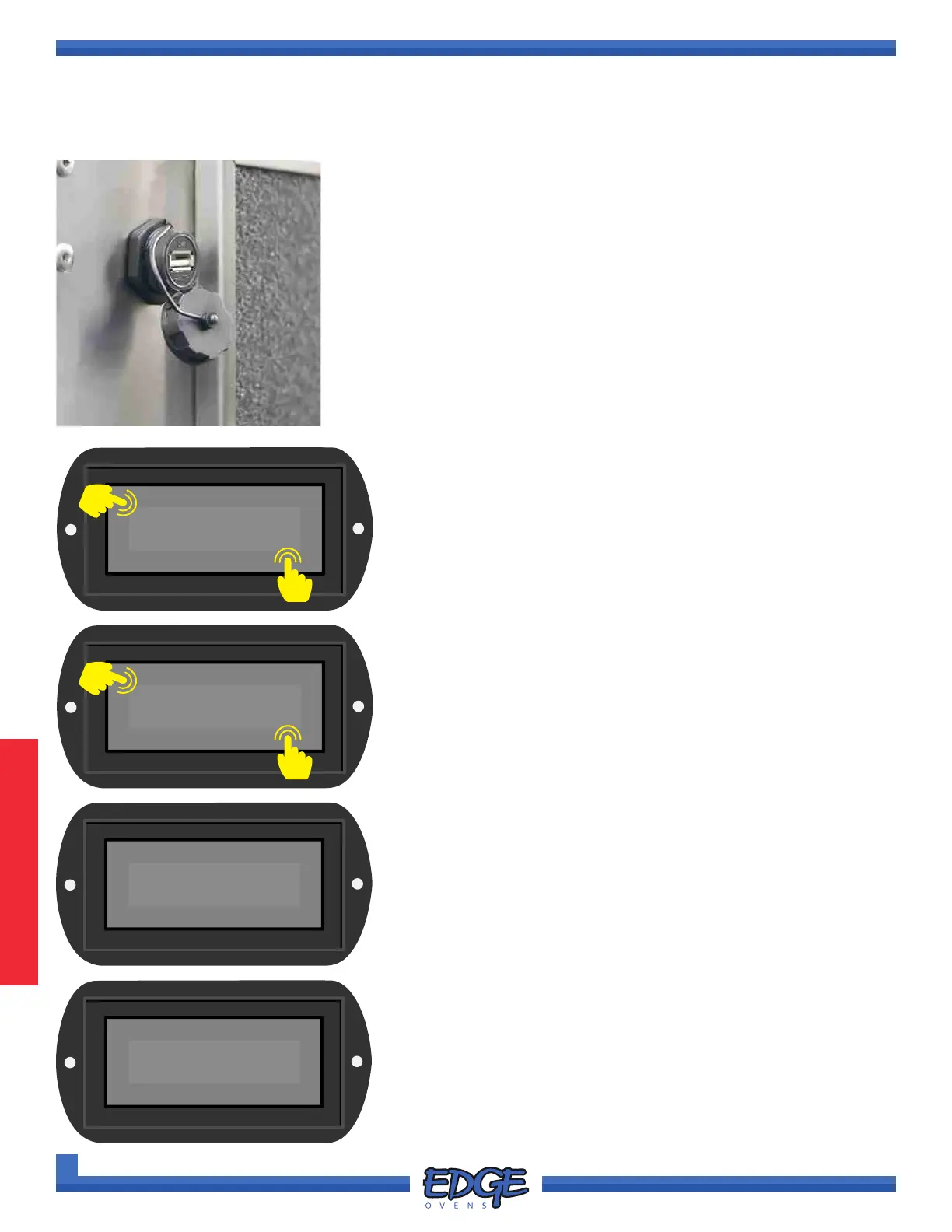
1. Locate the USB port on the rear side of the oven control cabinet,
adjacent to the cooling fan lter. (Figure 3-1)
2. Remove the USB dust cover by unscrewing the cover.
3. Insert the USB ash drive into the USB port.
4. Follow steps 1 - 5 of the “ACCESSING THE SETTINGS MENU”
section, for instruction of how to access the SETTINGS MENU options.
SYSTEM
✔
✖
6
5. Use the UP () or DOWN () arrows to navigate to the
SYSTEM option.
6. Touch the tick (✔) icon to conrm selection.
5
RECIPE
DOWNLOAD
✔
✖
8
7
7. Use the UP () or DOWN () arrows to navigate to the
RECIPE DOWNLOAD option.
8. Touch the tick (✔) icon to initiate RECIPE le download.
9. Depending on the size of your recipe le generally the transfer
will take less than one (1) second.
10. Once complete the “Download Complete, Remove USB drive”
message will ash up on the screen for approximately ve (5)
seconds, before returning to the RECIPE DOWNLOAD option
screen. It is now safe to remove you USB drive.
11. To return to the SYSTEM MENU touch the cross (✖) icon as
required to exit each option level. Swipe left or right to return to
the main OPERATING SCREEN.
FIGURE 3-1
Downloading
Recipe le
Download Complete
Remove USB drive



 To Next Page