Document ID: OMM-00131 Rev. E
22
3.7.1 Monitor Cable Routing
Route the monitor cables prior to installing the monitor. Install the Monitor in accordance with the instructions provided in this
section.
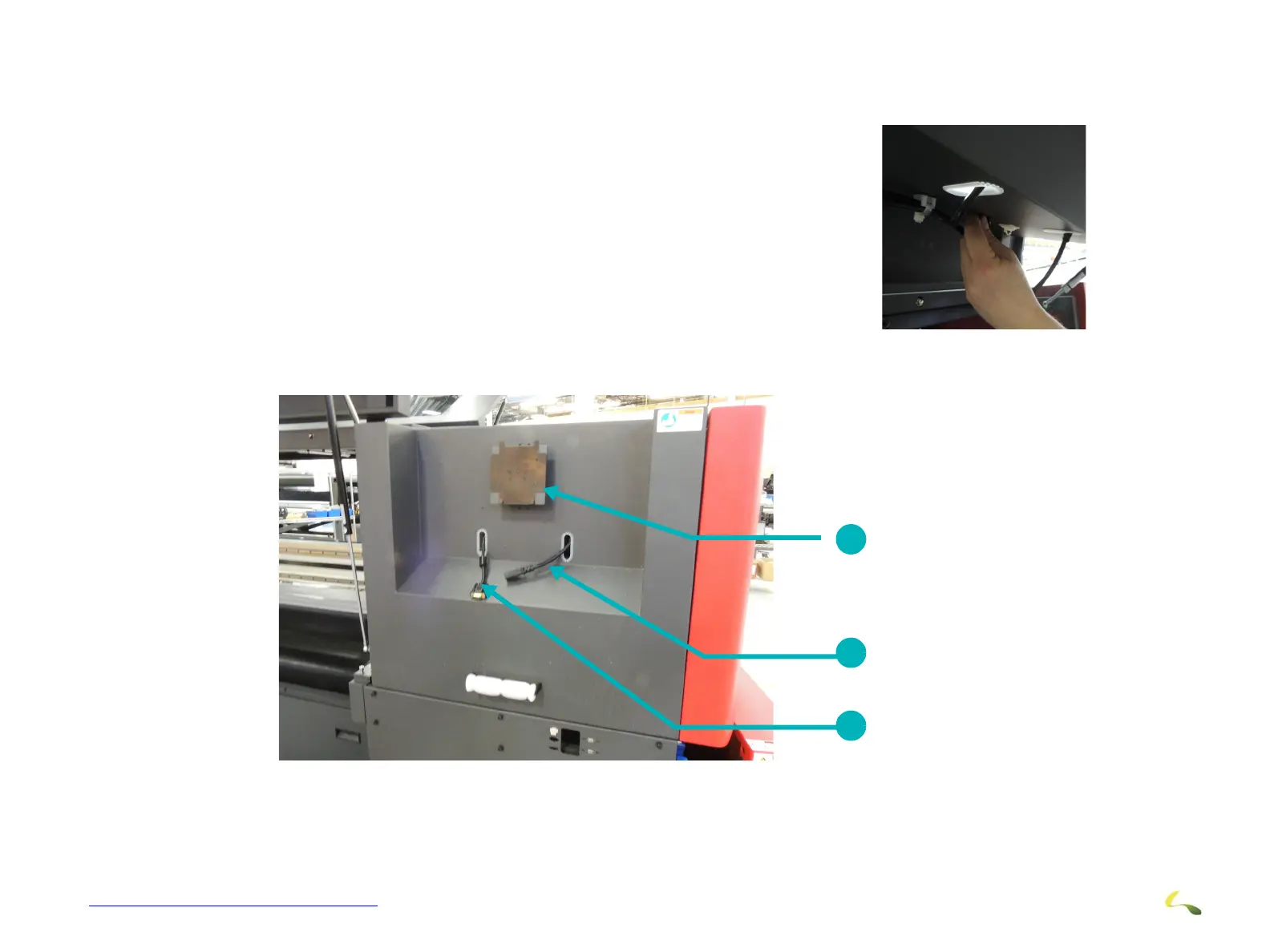
1. Route the Monitor Cables through the elongated openings in the Monitor
Mounting Cover..
2. Ensure that the cables are secured using the appropriate clamps and/or tie
wraps.
3. Once the Monitor Cables are routed and secured, close the monitor mount-
ing cover and prepare to install the monitor to the monitor mounting
bracket Routing Monitor Cables
Figure 3-13: Routing Cables
Figure 3-14: Monitor Cables Routed
1 Monitor Mounting Bracket 2 Power Cable
3 GA Monitor Cable
1
2
3



 To Next Page