Document ID: OMM-00131 Rev. E
23
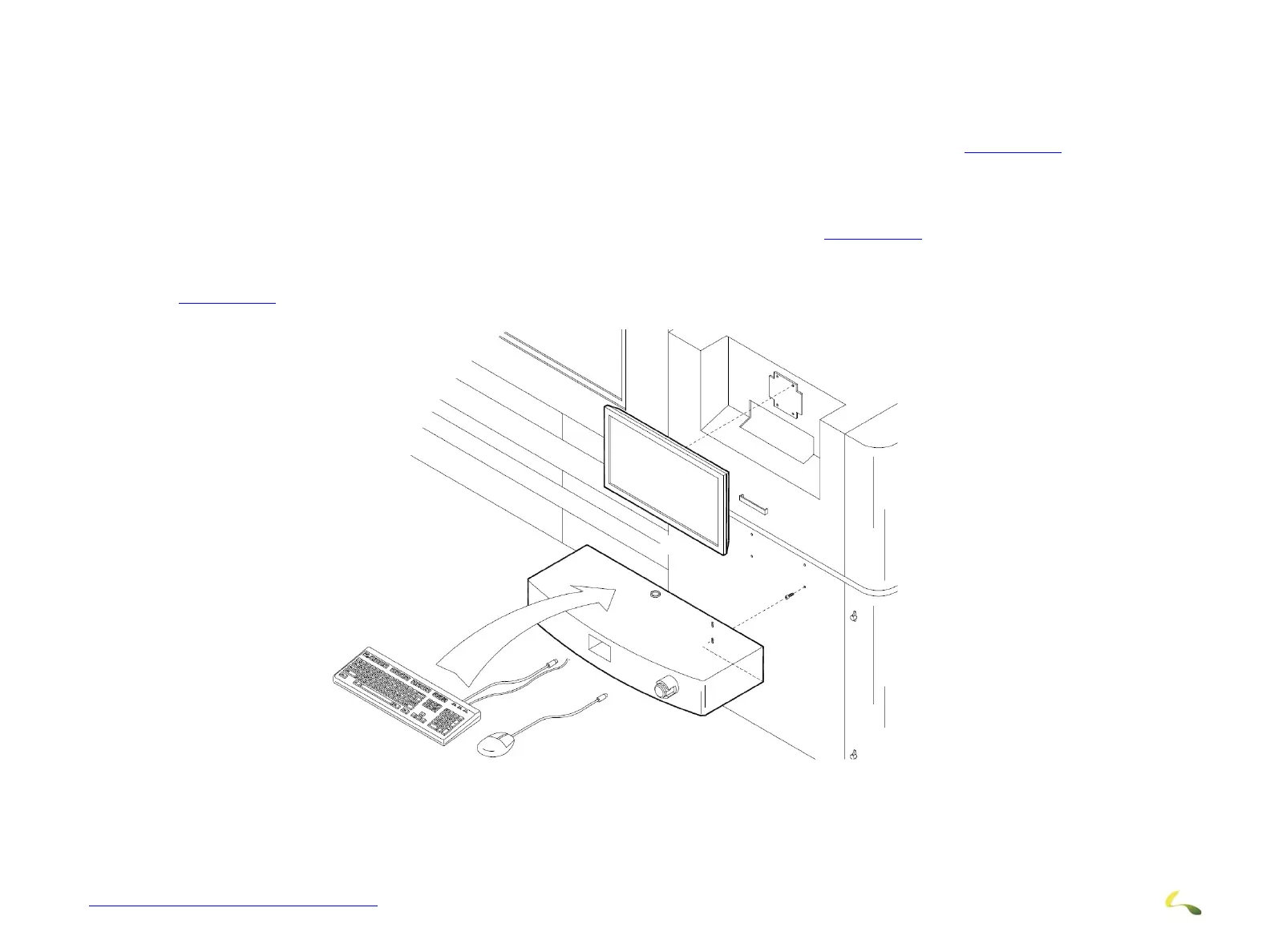
3.7.2 Monitor and Keyboard Tray Installation
Install the monitor to the mounting bracket as described below.
1. Holding the monitor near the mounting bracket, connect the monitor cables to the back of the monitor.
2. Once the cables are secured, attach the monitor to the mounting bracket - Hang monitor on Tabs. (Figure 3-17)
3. Endure the Monitor is properly secured.
4. Install the Keyboard tray Mounting Screws. Do not tighten all the way at this time - leave about 1/4“othe end of the screws
exposed.
5. Hang the keyboard tray on the expose screws using the slotted holes in the tray. (Figure 3-16)
6. After keyboard tray is mounted, tighten all mounting screws.
7. Place the Keyboard and Mouse onto the tray, route wires through the hole in the tray and make connections below tray as shown
in
Figure 3-15.
Figure 3-15: Monitor and Keyboard Tray installation



 To Next Page