Document ID: OMM-00131 Rev. E
56
3.20 Setting Print Margins
This section provides basic instruction for Setting Print Margins.
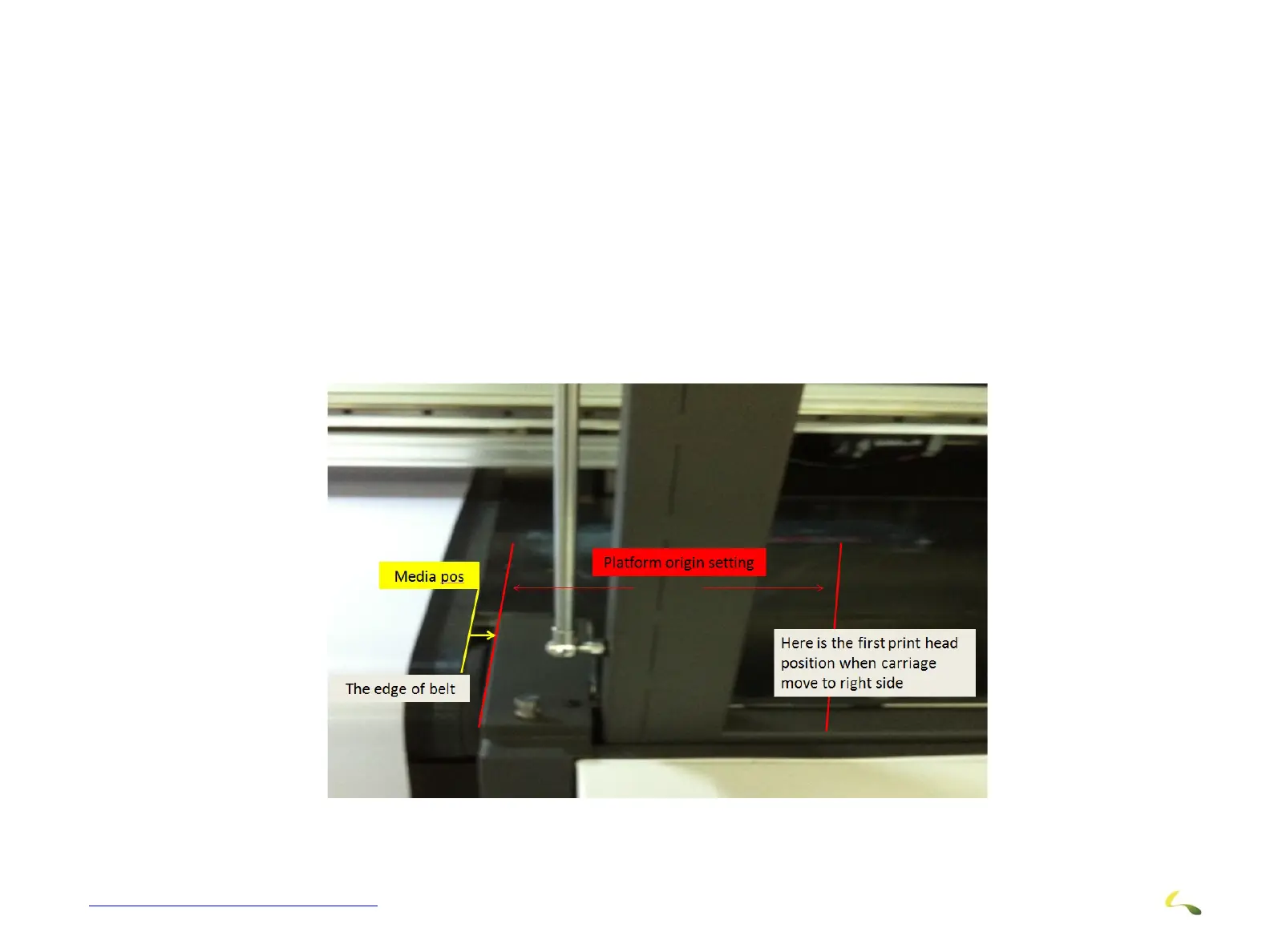
3.20.1 Print Head “ZERO” Position
The "Zero" position is defined as the position of the first print head when it is ready to start printing from the Right Hand Side
of the printer. The first number is the distance that has to be moved to get the first print head from this "zero' position to the
edge of the print area support bracket. The is the same for all settings and stays the same for any one machine after it has
been entered by the operator.
The second number should take you to the "edge of the belt" which is the first possible print area. This would be different for each machine
and would stay the same if the belt did not move. But the belt does move.
The margin is then the distance from the "edge of the belt" to the first print position.
Now when we load media, it usually is somewhere away from the edge of the belt. This varies every time media is loaded.
Figure 3-58: Print Head ZERO Position (1 of 2)



 To Next Page