Document ID: OMM-00131 Rev. E
43
3.12.2 Tension Fixture
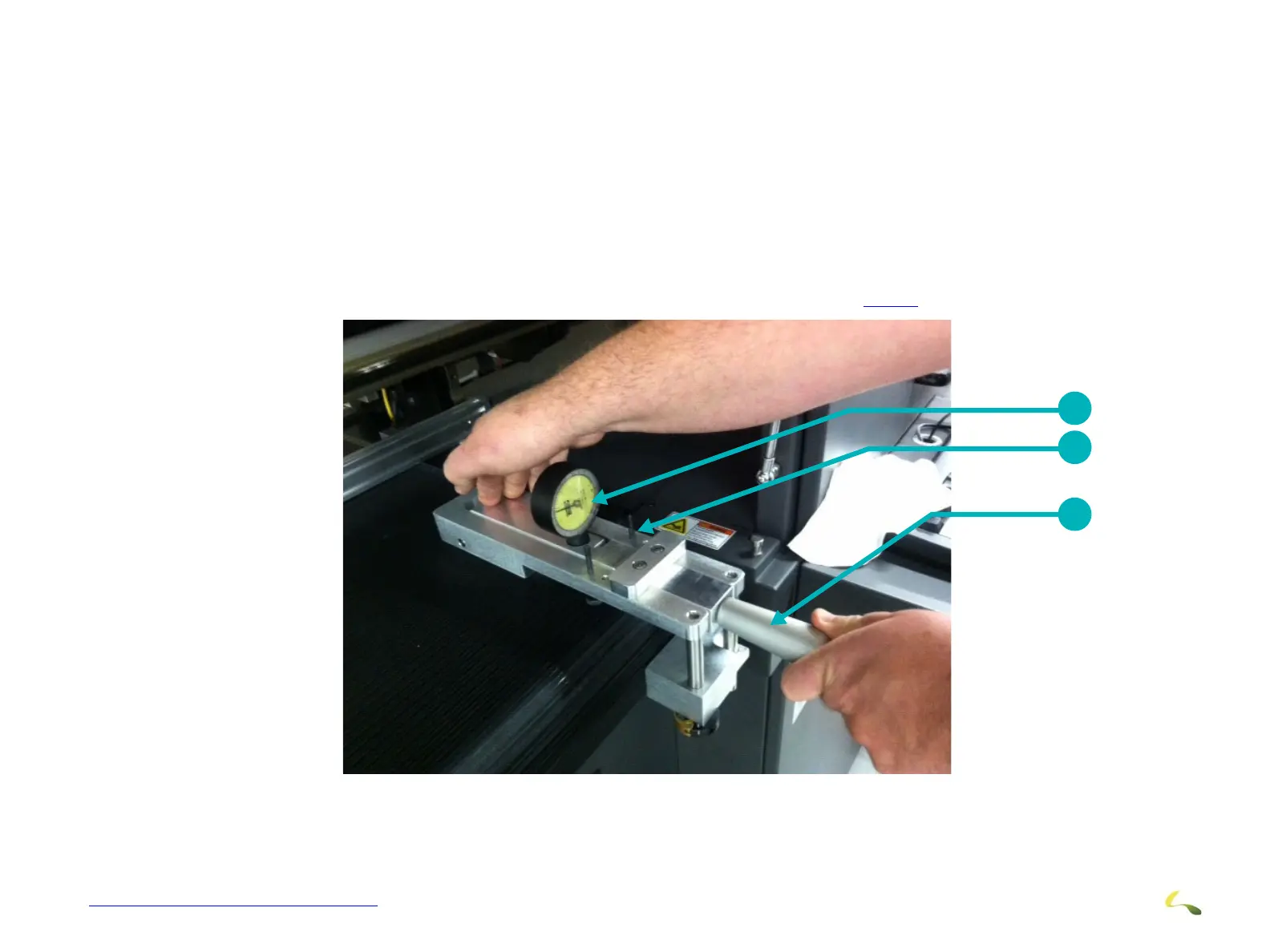
Check the Belt Tension using the special tension fixture provided.
1.Zero the Indicator.
2. Set the fixture onto the belt about 2 inc
hes from the right edge of the belt.
3. Ensure the fixture makes FULL, FLAT contact with the belt. It mus
t be flat across the top of the belt and must be pressed against
the front edge of the belt.
4. Adjust flatness to the belt using the 2 flatness adjustments on the top of the fixture.
5. When confident the fixture is properly alig
ned, press down on the Indicator Deployment Handle to get a belt tension reading. (This
should be around 6 to 7.5 lbs but is variable from printer to printer).
6. Repeat this process on the left
side of the belt.
7. Compare the readings - they should be the same.
8. Variations in reading are corrected when adjust
ing belt tension as described in Section 3.12.3.
1
2
3
Figure 3-41: Media Belt Tension Measurement (Right Side Shown)
1 Indicator 2 Flatness Adjustments 3 Indicator Deployment Handle



 To Next Page