Document ID: OMM-00131 Rev. E
44
3.12.3 Media Belt Tension Adjustments
Adjust the tension and alignment of the Media Belt as follows:
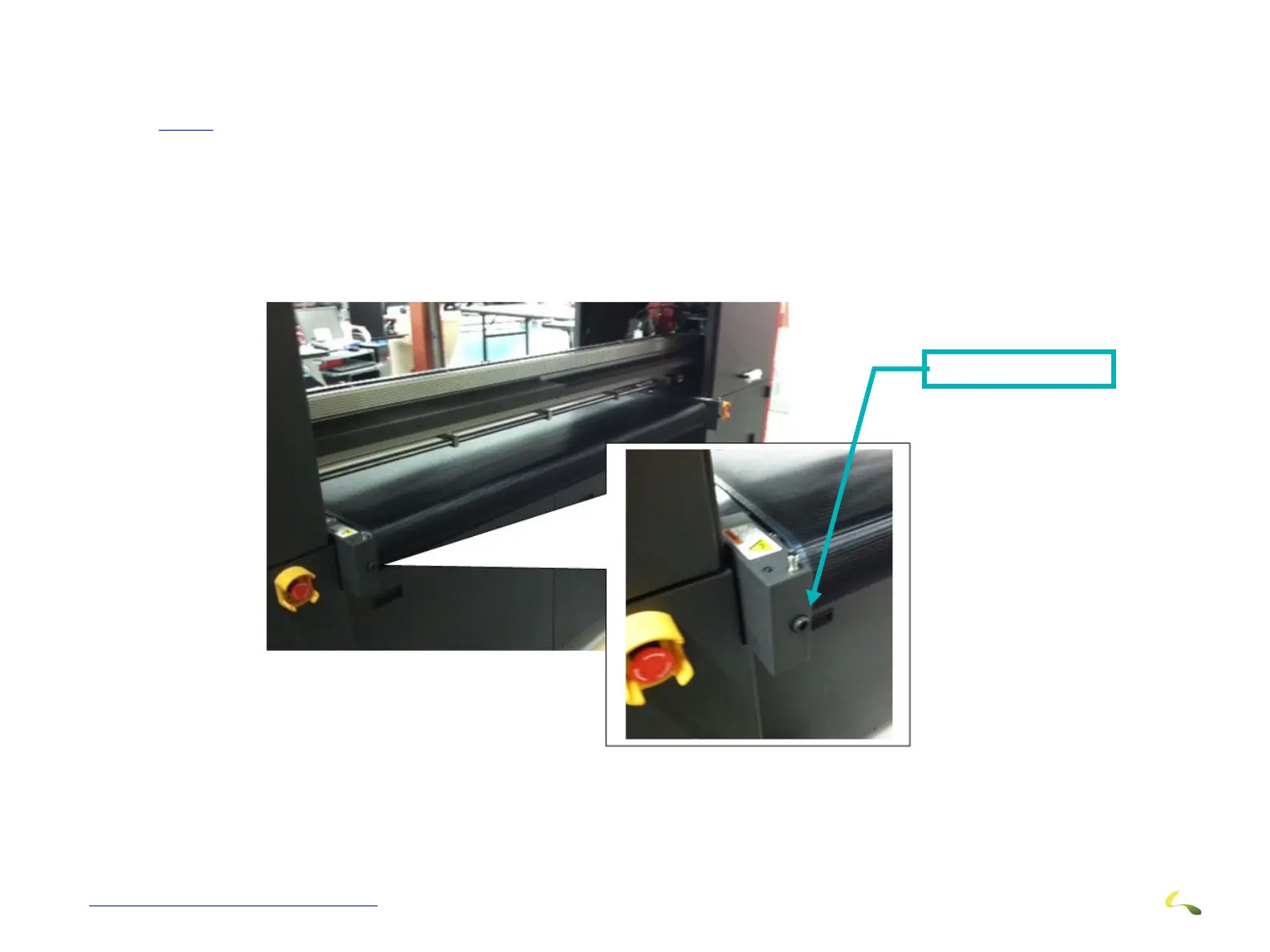
1.Go to the rear of the printer and locate the Media Belt Adjustment Screws. There are 2 adjustments, one on either side of the belt. (See
3.12.3)
2. Using a 10mm Allen wrench, adjust the belt by
turning the adjustment screw on the side that needs to be adjusted as follows:
A.If the circumference measuremen
t is shorter on one side, adjust the dimension by using the appropriate adjustment screw.
B.If the tension on one side is more or less than the other side, adjust the tension by using the appropriate adjustment screw.
3. Recheck the media belt measurement and/or tension after
each adjustment, and re-adjust as required.
4. It is necessary to run the printer when inst
allation is complete to ensure that the media belt is operating without side-to-side
movement. Additional adjustments after running the belt may be required to fine-tune it’s proper operation.
Adjustment Screw
Figure 3-42: Media Belt Tension Adjustment Screws (Left Side Shown)



 To Next Page