Document ID: OMM-00131 Rev. E
58
3.20.2 GUI Settings
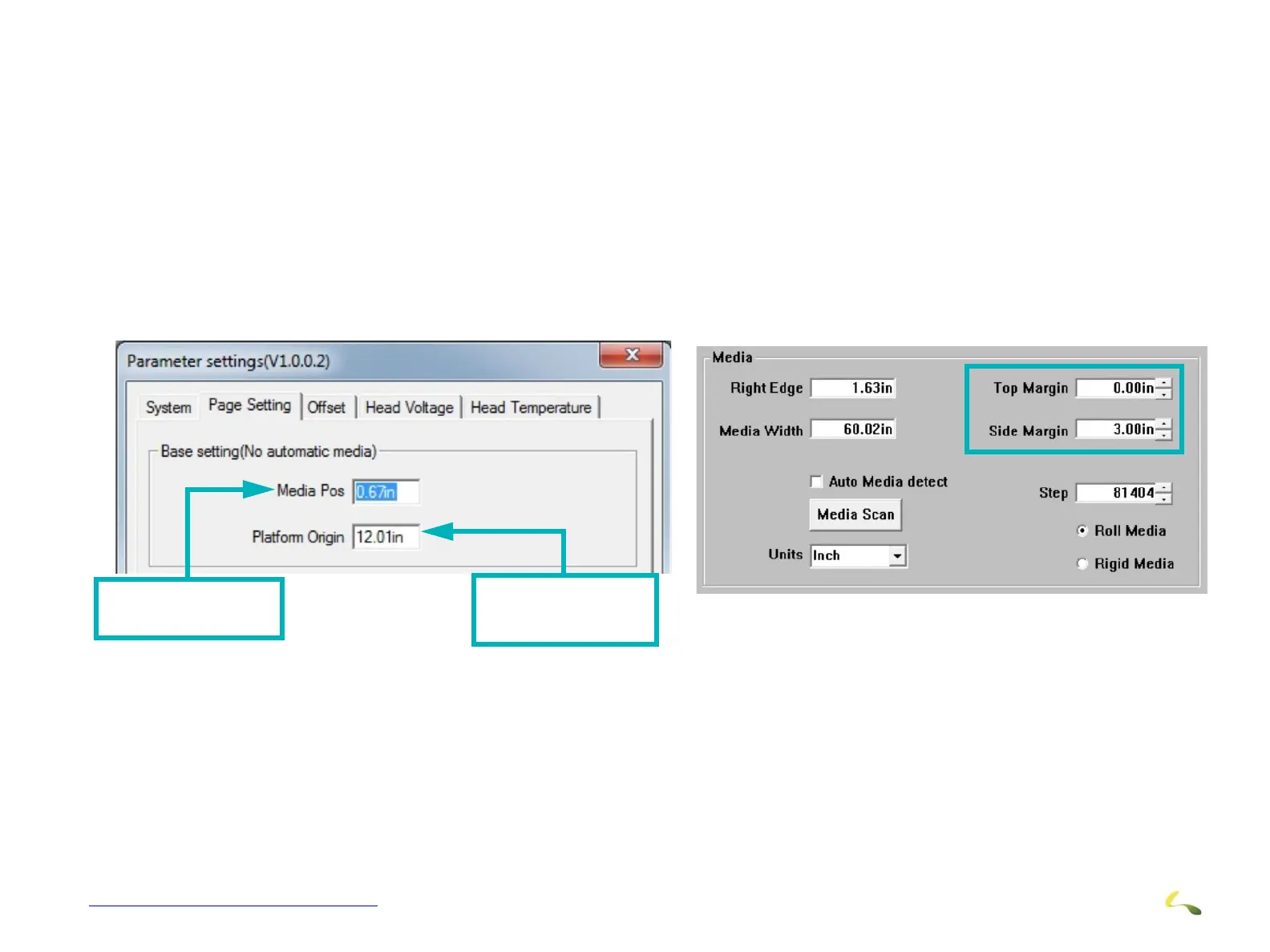
On the main GUI, we can enter a 'Right margin". This software expects this to be a distance from the "edge of the belt" and NOT a distance
from the edge of the media.
People may expect the "right margin" to be the distance from the edge of the media, but it is not.
For rigid media, can line up with the alignment piece on the fence and adjust the margin until it is printing at the edge of the media.
Then enter a real margin on the media by adding it to the first setup margin.
Figure 3-60: Margin Settings (1 of 2)
Distance from edge
of belt to left edge
of bracket
Distance from first
print head to left
edge of bracket
Figure 3-61: Margin Settings (2 of 2)



 To Next Page