Document ID: OMM-00131 Rev. E
33
3.10.1 Alignment Process
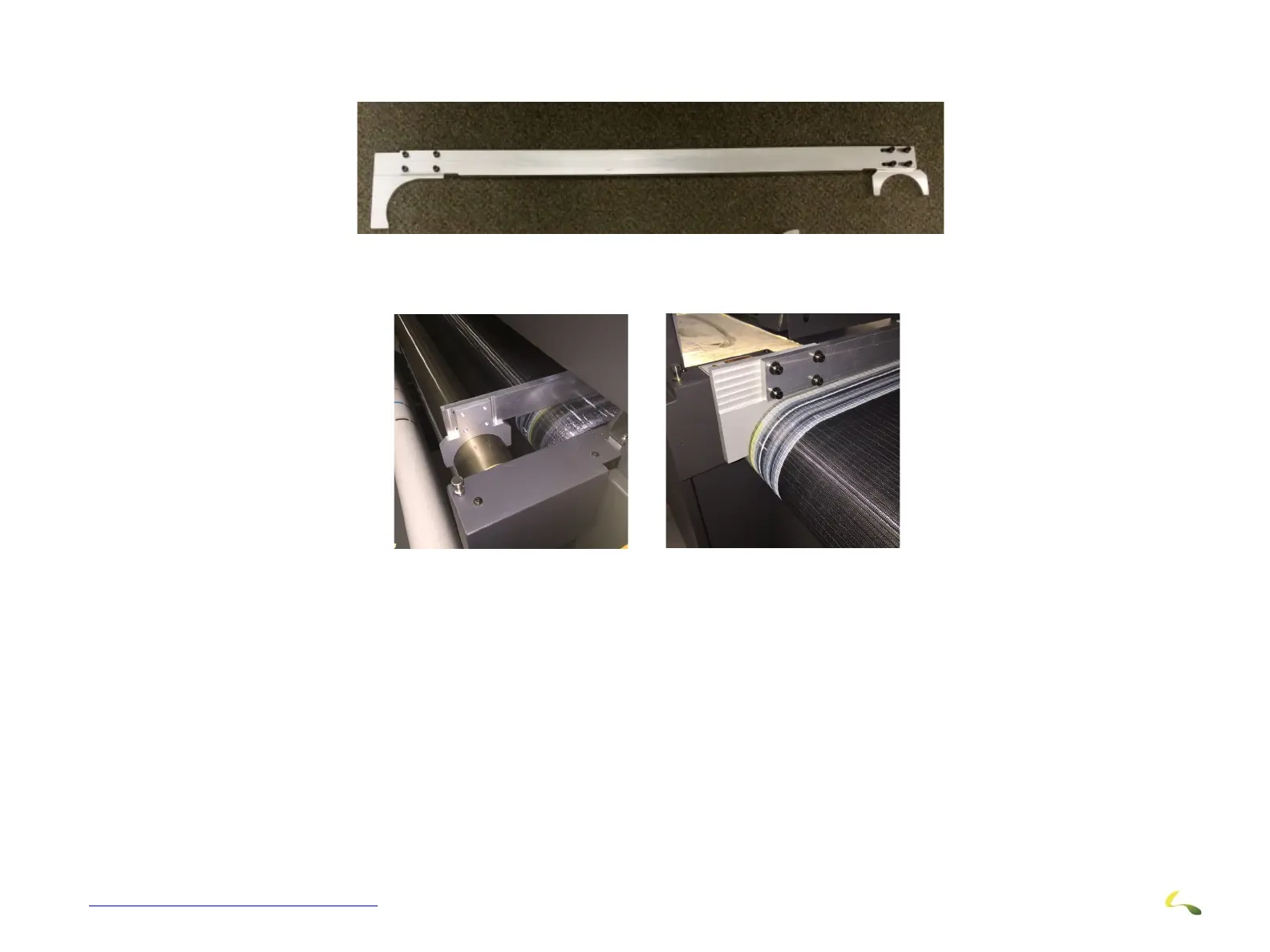
1. Go to the rear of the printer and insert the alignment tool under the fence on the right side of the belt. Adjust tool to fit.
2. Move tool down the belt to the left side. Alignment is only accomplished by screw slop.
3. Loosen the left end of the new roller and make fit as right hand side. Proceed to next step when done.
4. On all 4 corners of the take-up/supply assembly, use a level to verify that the mounting plates are vertical. If not, loosen the 3-
6mm screws and adjust the mounting plate.
Figure 3-29: Alignment Tool in Place



 To Next Page