Document ID: OMM-00131 Rev. E
32
3.10 Roll-to-Roll Alignment Procedure
Install rear roller onto the back of the EFI Pro 16h. Aligning the media take-up and supply rolls requires the following:
• Standard tools
• 3 new style alignment tools
• Bubble level
• New rear/third roller w/ screws 4x M3x30 , 4x M4x16
1. Install the new rear roller while installing screws. (You will need assistance to hold roller.)
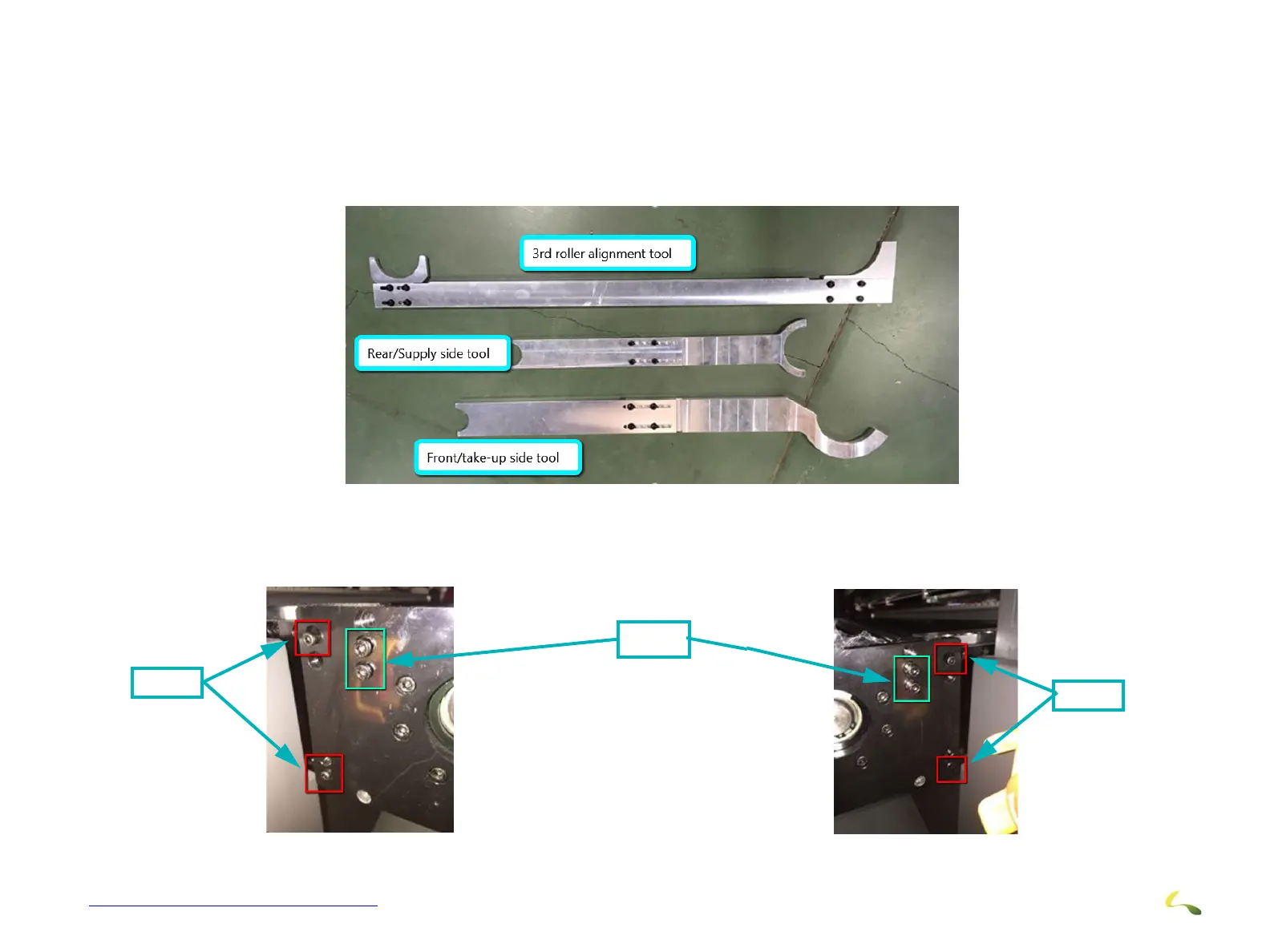
2. Install 4 screws on the right side and 4 on the left side, two M3x30 and two M4x16.
Figure 3-26: Roll-to-Roll Alignment Tools
Figure 3-27: Left Side
M3x30
M4x16
Figure 3-28: Right Side
M3x30



 To Next Page