Document ID: OMM-00131 Rev. E
36
3.10.2 Leveling the Take-Up Roll Assembly
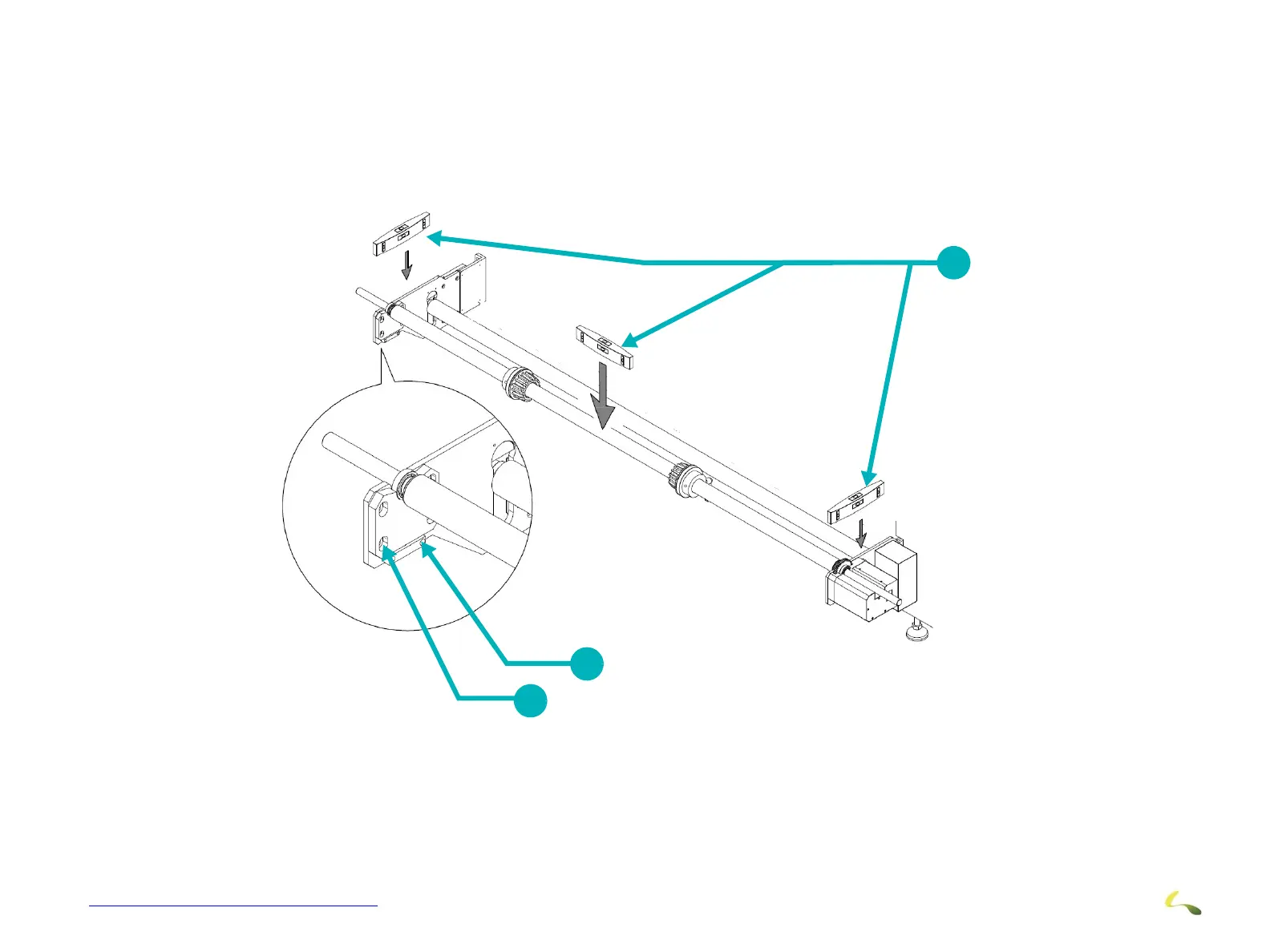
Level the Side Plates as follows:
1. Level the Motor Side Plate and the Flat Side Plate during installation. There is enough play in the mounting holes to manipulate the
plates so that they are level. Secure after leveling.
2. After the side plates are level, adjust the level by loosening the bracket on the left side plate and moving it up or down. Use the
jacking screw below the bracket to lift or lower it. Secure the screws in the bracket after leveling is accomplished.
Note: Level the Feed Roll Assembly using the same technique. (The Feed Roll flat plate with the Up/Down adjustment is on
the right side when facing the printer from the feed side)
Figure 3-33: Take-Up Roll Leveling - Side Plates
1 Levels 2 Jacking Screw 3 Up/Down Adjustment Screws
1
2
3



 To Next Page