Document ID: OMM-00131 Rev. E
37
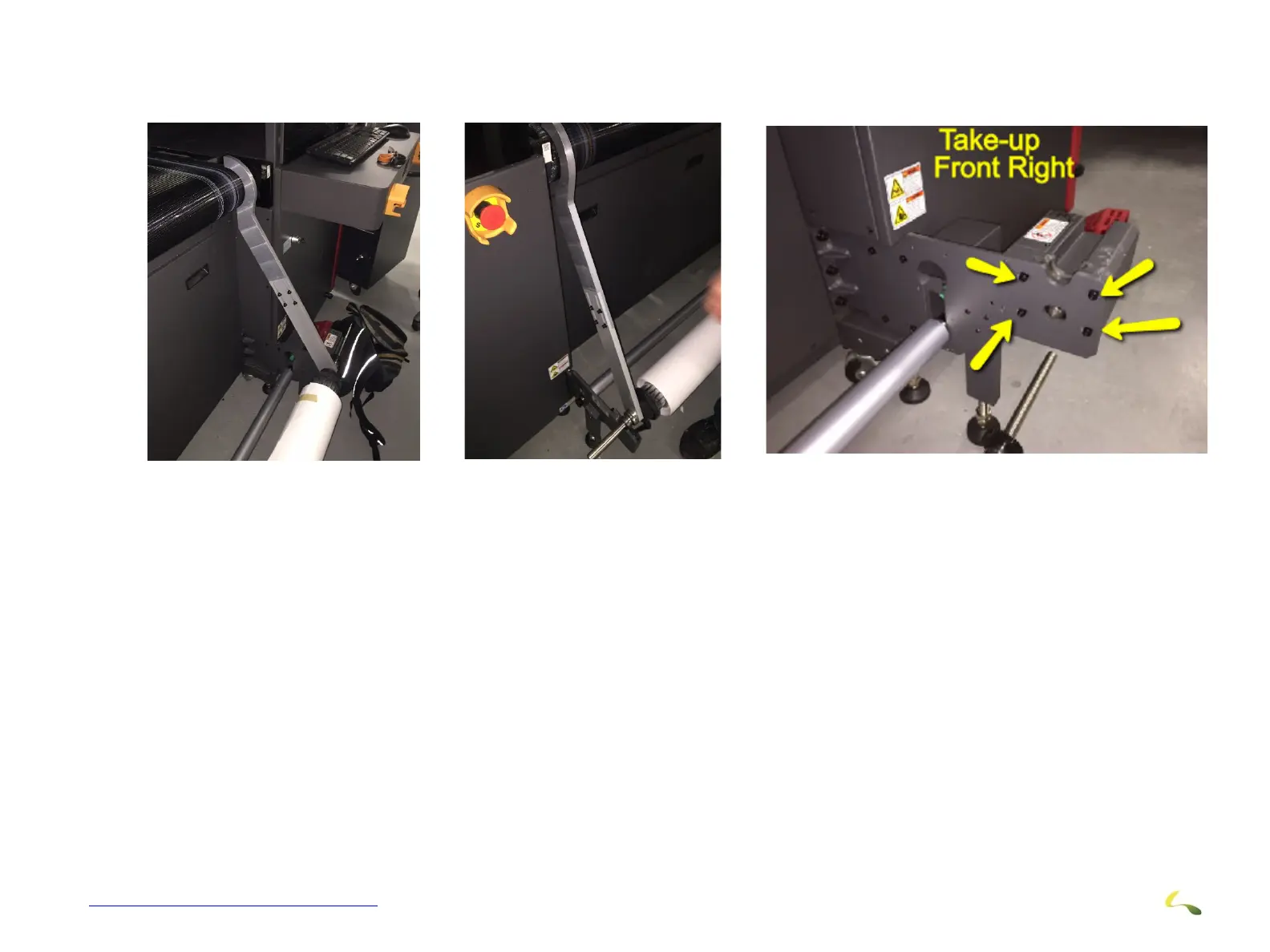
3. Using the REAR/SUPPLY side alignment tool, put the large end on the new roller at the right end. The other end goes to the media
shaft.
4. Check fit and then move to the left end and adjust the 4 screws to make a good fit compared to the right side.
5. Using the FRONT/TAKE_UP side alignment tool, do the same for the front/take-up system.
6. Using the LARGE alignment jig, put the large end on the new roller at the right end. The other end goes to the media shaft.
7. Check the fit and then move to the left end and adjust the 4 screws to make good fit compared to right side.
Figure 3-34: Use Rear/Supply Side Alignment Tool (Dancer Shown on Take-up Side Has Been Removed)



 To Next Page