Document ID: OMM-00131 Rev. E
15
3.5 Positioning Printer
Follow these instructions to position printer correctly.
Important! Reference the Printer Specifications, ITS-00143, Pro 16h Printer Specifications for printer space requirements
and placement information.
3.5.1 Lifting the Printer from Pallet
Lift the printer from the pallet as described in this paragraph.
Danger! Ensure that the forklift or pallet jack is properly rated for the printer’s weight. It is extremely important to lift
the printer slowly to ensure it does not tip left or right or front to back. Do not attempt to fully lift the printer
until it is certain that the forks are located at the printer’s center of gravity (CG).
1. Ensure the wheels are installed and properly secured on the
printer.
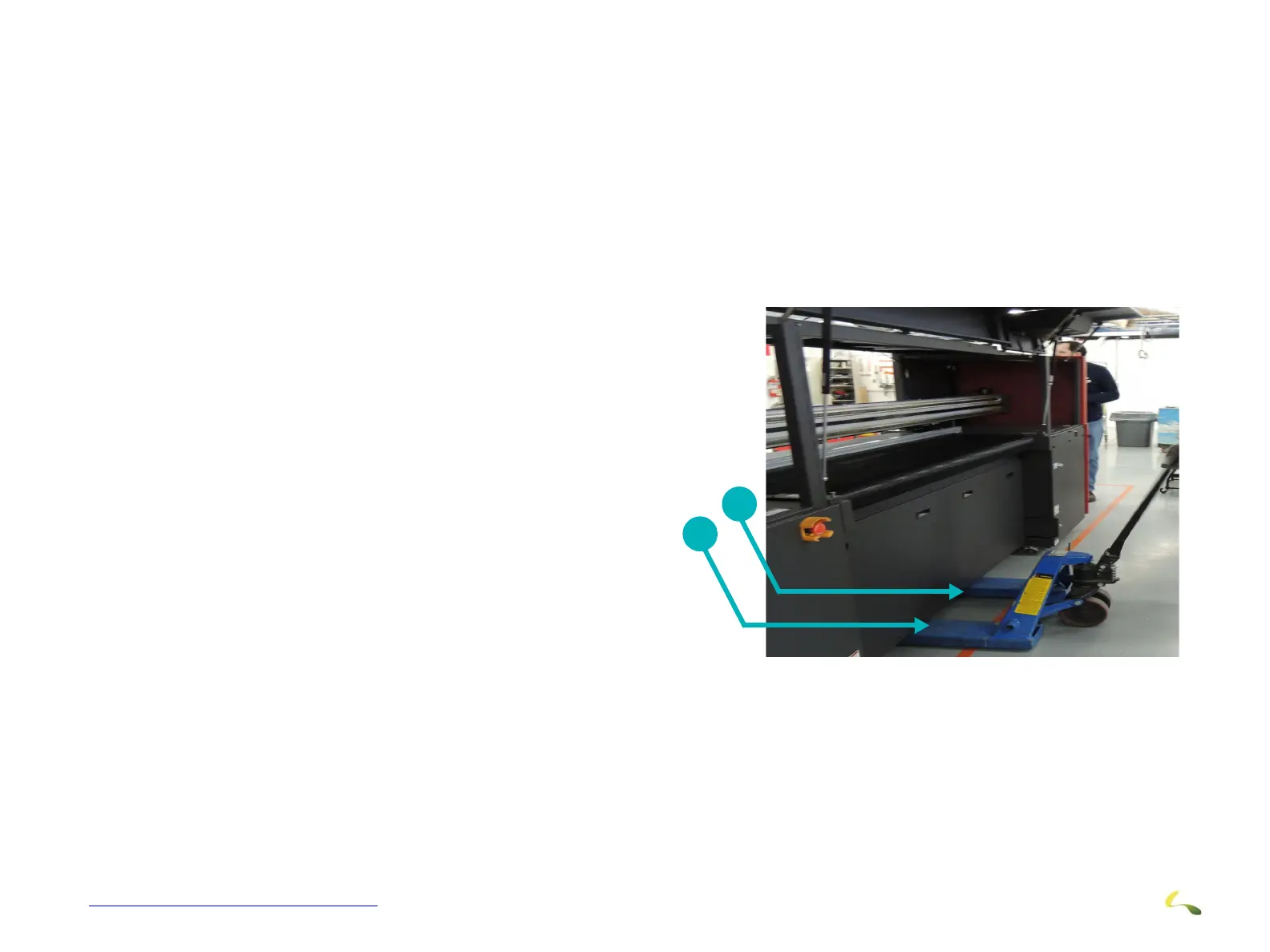
2. Using a fork lift or pallet jack, center the forks under the printer
and move the forks all the way under the printer
3. Ensure that the lifting forks are at the printer’s center of gravity
(CG).
4. Lift the printer off the pallet ans move it back so that the under-
side of the printer is off the pallet and exposed.
5. Ensure that the printer is stable on the forks as it is necessary
to work under the printer to install the printer feet.
Figure 3-3: Center of Gravity Lift location
1Printer CG
2Forks
1
2



 To Next Page