Document ID: OMM-00131 Rev. E
28
3.9 Installation of Rolled Media Handling System (Take-Up and Feed Roll Assemblies)
The following paragraphs provide instructions for the installation of the Rolled Media Handling System. This system is
comprised of the Take-Up and Feed Roll Assemblies. These assemblies are shipped with the printer and must be installed
and aligned separately.
3.9.1 Take-Up Roll Assembly Installation
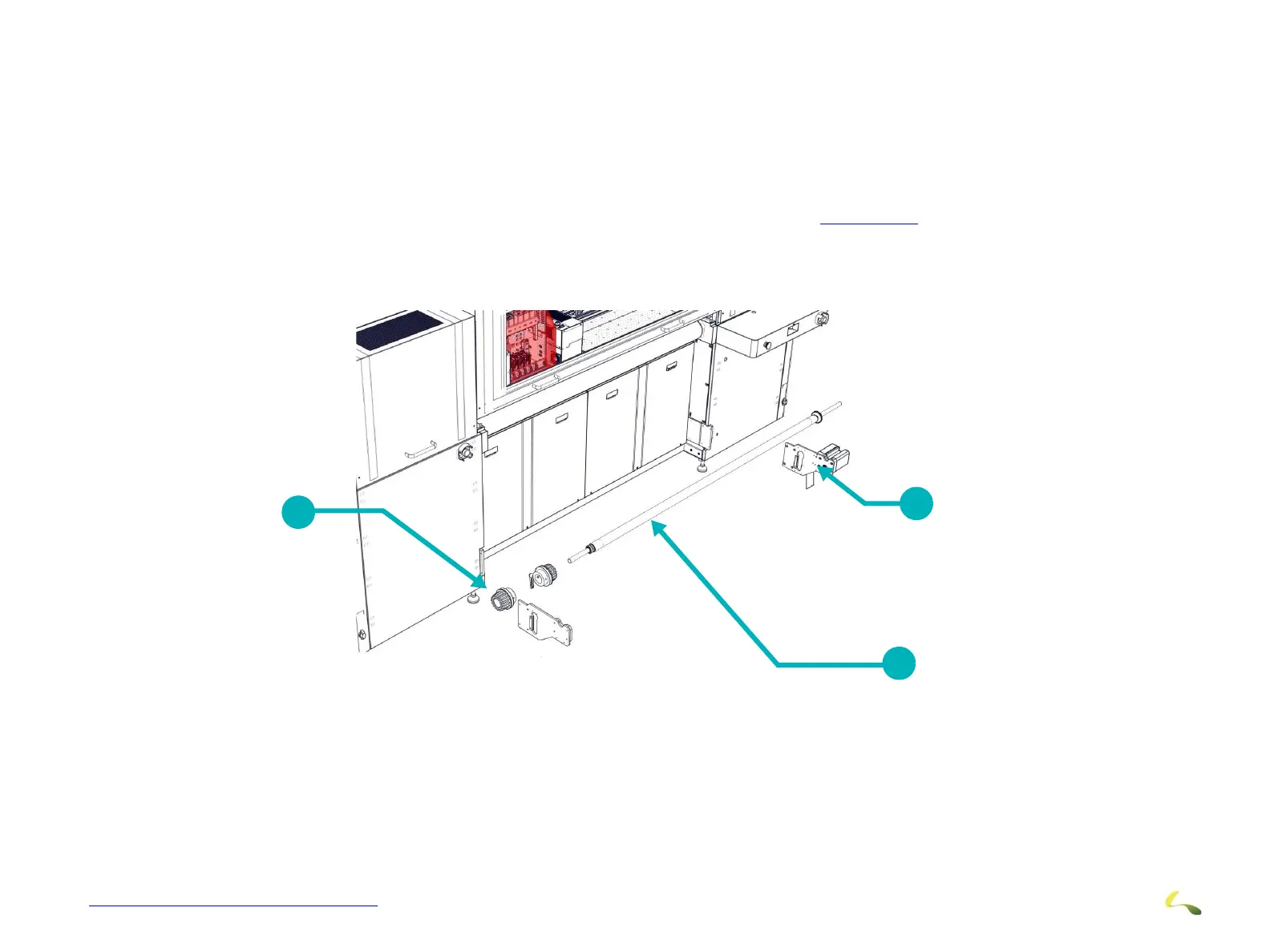
The Take-Up Roll Assembly is installed on the front of the printer (operator station side). A brief overview of this installation
is provided below. Detailed Assembly is provided in the Exploded View shown in Figure 3-23.
1. Install and level the Motor Side Plate on the right side of the printer.
2. Install and level the Guide Side Plate on the left side of the printer.
3. Install the Support Chucks onto the Media Roll and place the Medi
a Roll into the upper guides on the side plates.
Figure 3-22: Take-Up Roll Assembly Installation Overview
1Media Chucks 2Media Roll 3Motor Plate
1
2
3



 To Next Page