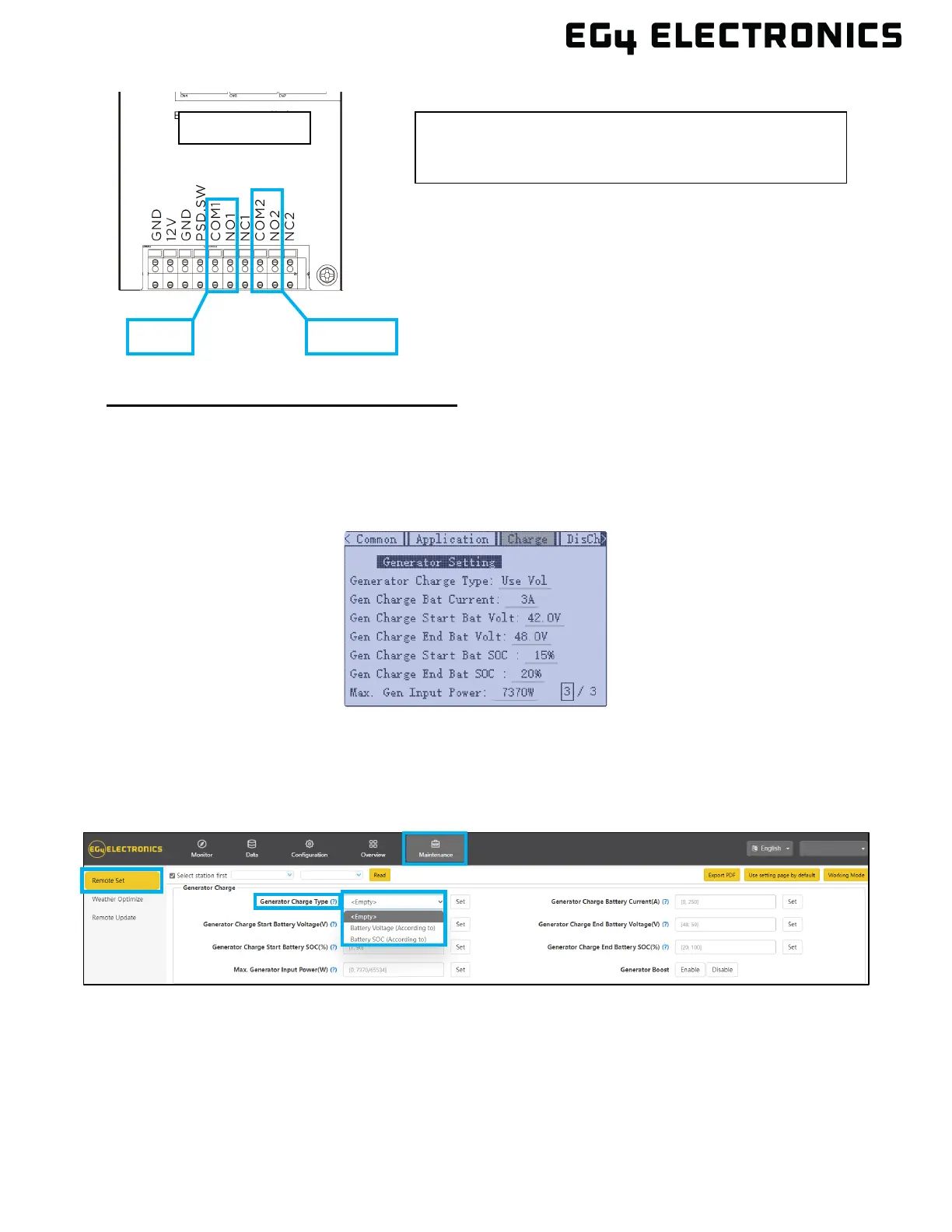
Generator Start and Stop Settings
Using the LCD screen on the inverter, press the “Enter” button to wake up the display. When the
display is activated, the display will show the home screen. Select “Enter” again to access the main
menu, from there press the “Setting” button. Navigate to page 3 of the “Charge” tab for generator
settings (shown in the image below). For more information navigating the LCD menu, see section
9.4, and for further information on the generator settings, see section 10.7.
Using the EG4
®
Monitor Center, go to the “Maintenance” tab where “Remote Set” will be selected by
default. Scroll to the “Generator Charge” section and select the “Generator Charge Type.” Normally,
lead-acid batteries are charged according to voltage and lithium batteries are charged according to
SOC. For more information on the EG4 Monitor Center and generator settings, see section 12.
Dry Port Relay Maximum Specification: 250VAC 5A
Gen Port Relay Maximum Specification: 250VAC 5A



 To Next Page