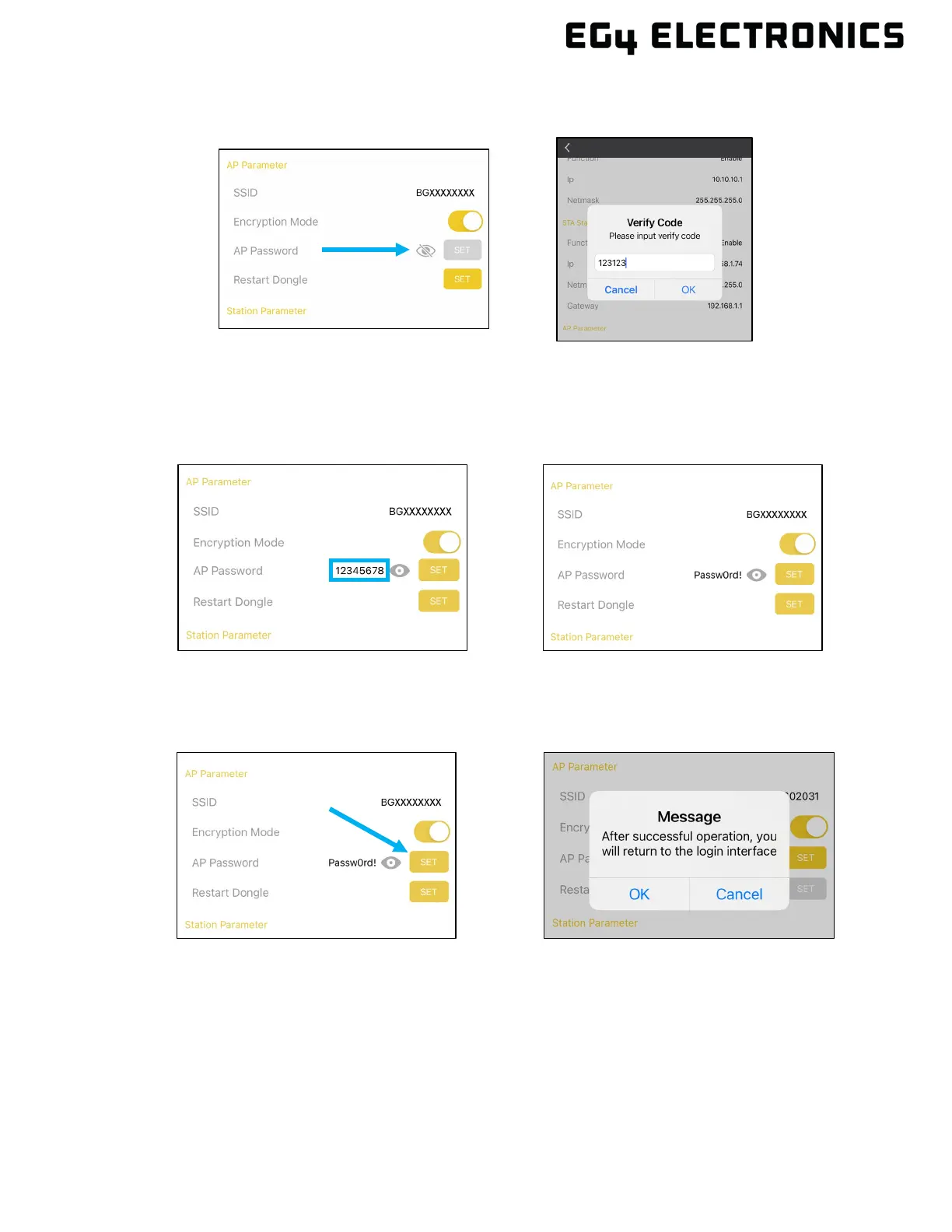
5. Select the “eye” icon and enter the verification code 123123. The “OK” button may need to
be selected twice, depending on communication and/or software lag.
6. The default WPA2 password set at the factory is “12345678”. To change the default
password, select inside the password area and over-write the existing password using the
desired password. In the example below, the password is set to “Passw0rd!”. It’s also
recommended to follow the password guidelines described in section 12.3.
7. Select “SET” to save the password which will also enable WPA2 security. There may be a
short pause after selecting the SET button. Press “OK” to verify the setup is complete. The
dongle will reboot and should be back online within a couple minutes.



 To Next Page