03-2009 SOI/DT-mdm FCPD-dp Quality-fz 8/91 599 70 56-70
4 DIAGNOSTIC SYSTEM
4.1 ACCESS TO THE DIAGNOSTIC CYCLE
All versions
1. Switch off the appliance.
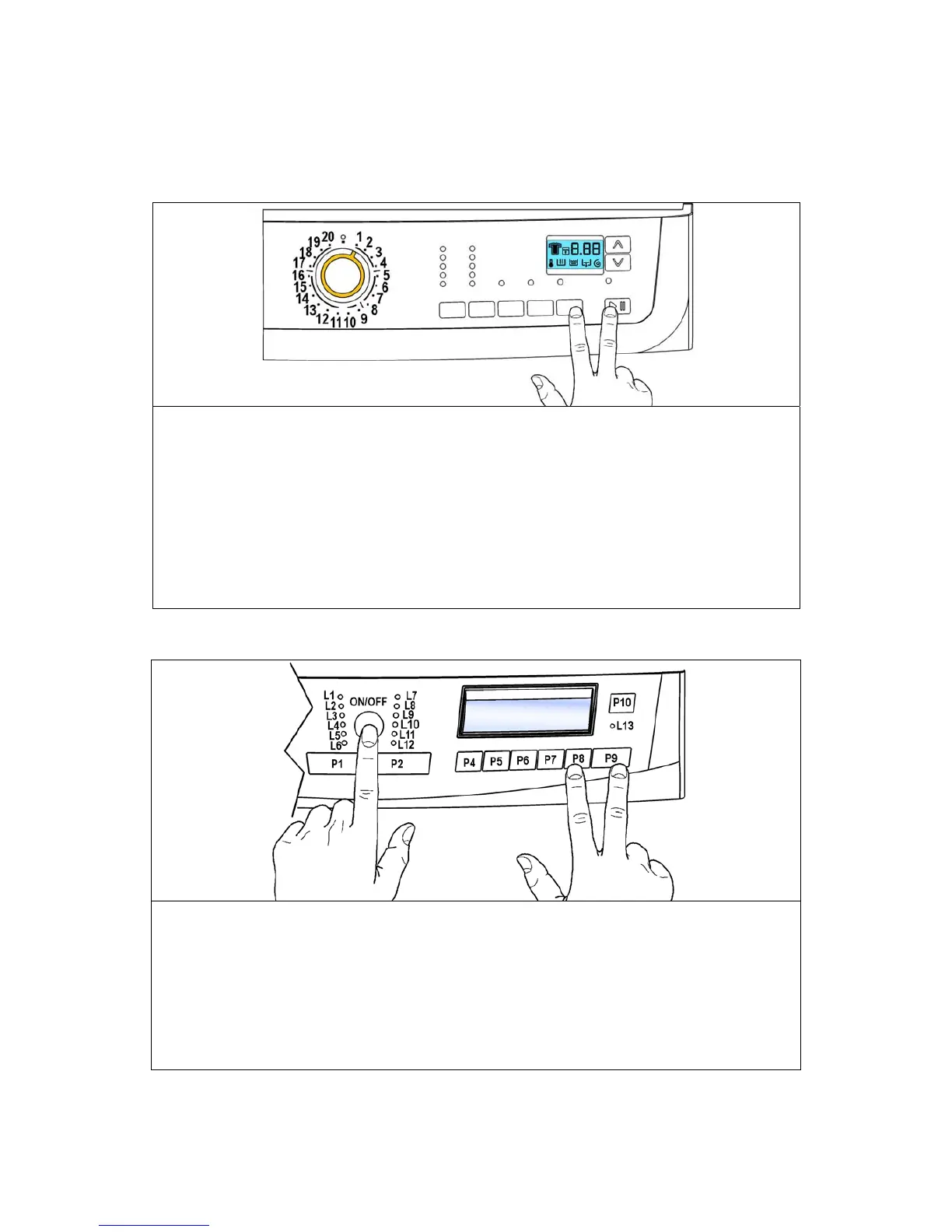
2. Press and hold down the START/PAUSE button and the nearest OPTION button
simultaneously (as represented in figure).
3. Holding down both buttons, switch the appliance on by turning the programme selector one
position clockwise.
4. Continue to hold down the buttons until the LEDs begin to flash (at least 2 seconds).
In the first position, the cycle tests the operation of the buttons and the relative LEDs. If the
selector is turned clockwise, the cycle performs the diagnostics for the various components and
reads the alarm codes.
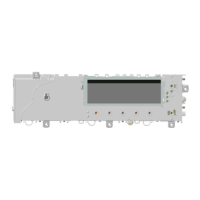
INPUT Version
5. Switch off the appliance.
6. Press and hold down START/PAUSE button and the nearest option button (as
represented in figure).
1. Holding down both buttons, switch the appliance on pushing button ON/OFF.
2. The test of the display board starts immediately.
Pushing sequentially button P1 positions from 2 to 10 are analysed in an increasing way, on the
contrary push button P2.
Each position is confirmed by the switching on of the corresponding LED.
4.2 Exiting diagnostics mode
→ To exit the diagnostics cycle, switch the appliance off, then on, and then off again.




 To Next Page