8
9500
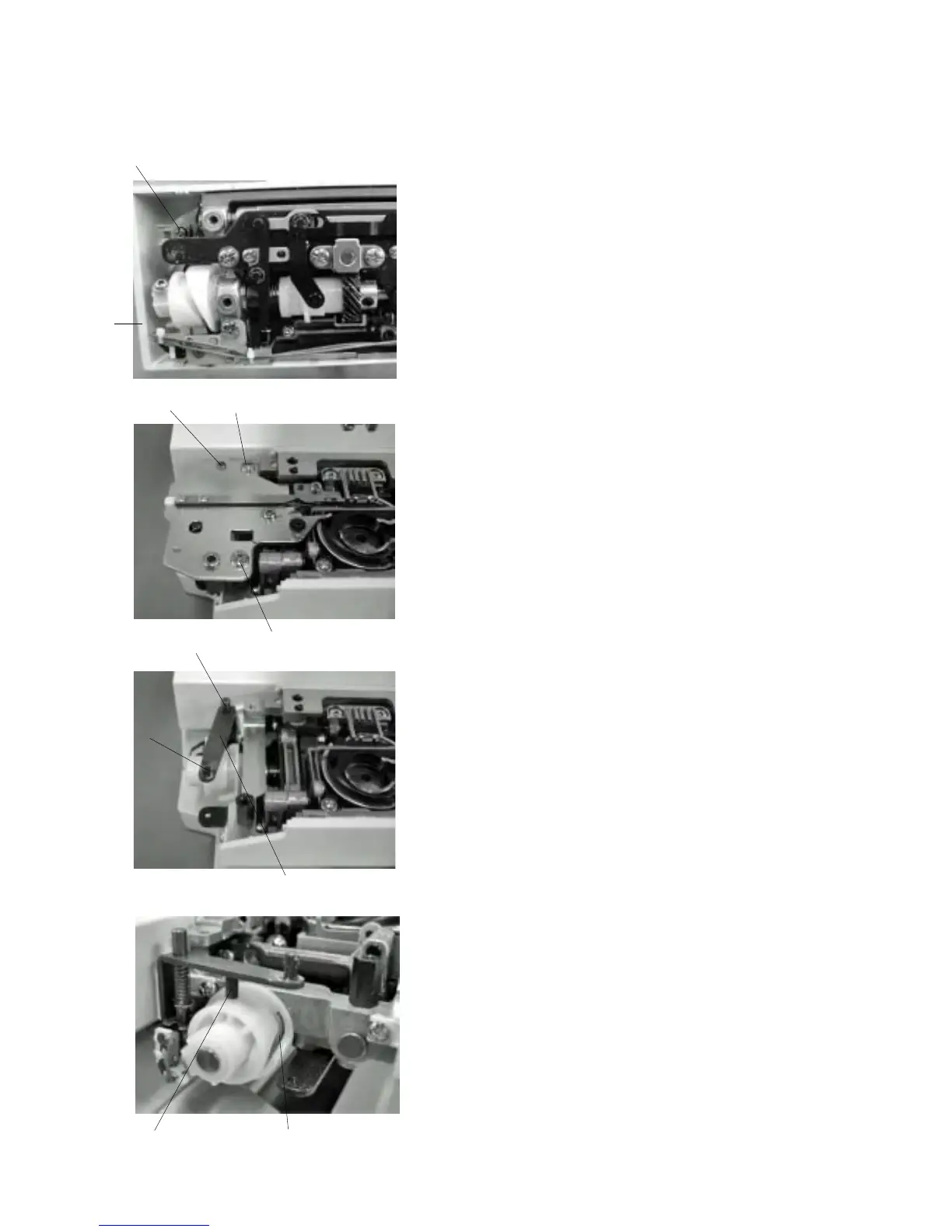
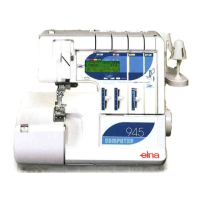
1 Remove the needle plate and bed cover.
2 Loosen Screw (A) and remove the thread
cutter cover .
3 Remove Screws (B) (2 pcs) and remove the thread
cutter unit.
4 Insert the pin and into the thread cutter hole and
attach the thread cutter unit by Screw (B).
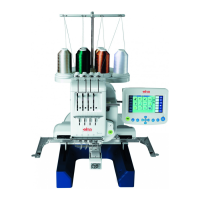
Note: After changing the thread cutter unit, check the
driving arm function with turning the
handwheel.
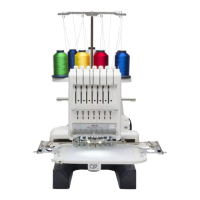
1 Lower the needle bar at its lowest position.
2 Push the driving arm (1) down and insert
the pin into the ditch of the cutter driving
cam .
3 Turn the handwheel to drive the cutter slide
plate.
4 Driving arm (1) disengage from the stopper
and return to the home position (upper
position).
(B)
(B)
(A)
Replacing the Thread Cutter unit
q
q
q
w
q
w
e
r
t
r
r
e
t
q



 To Next Page