15
9500
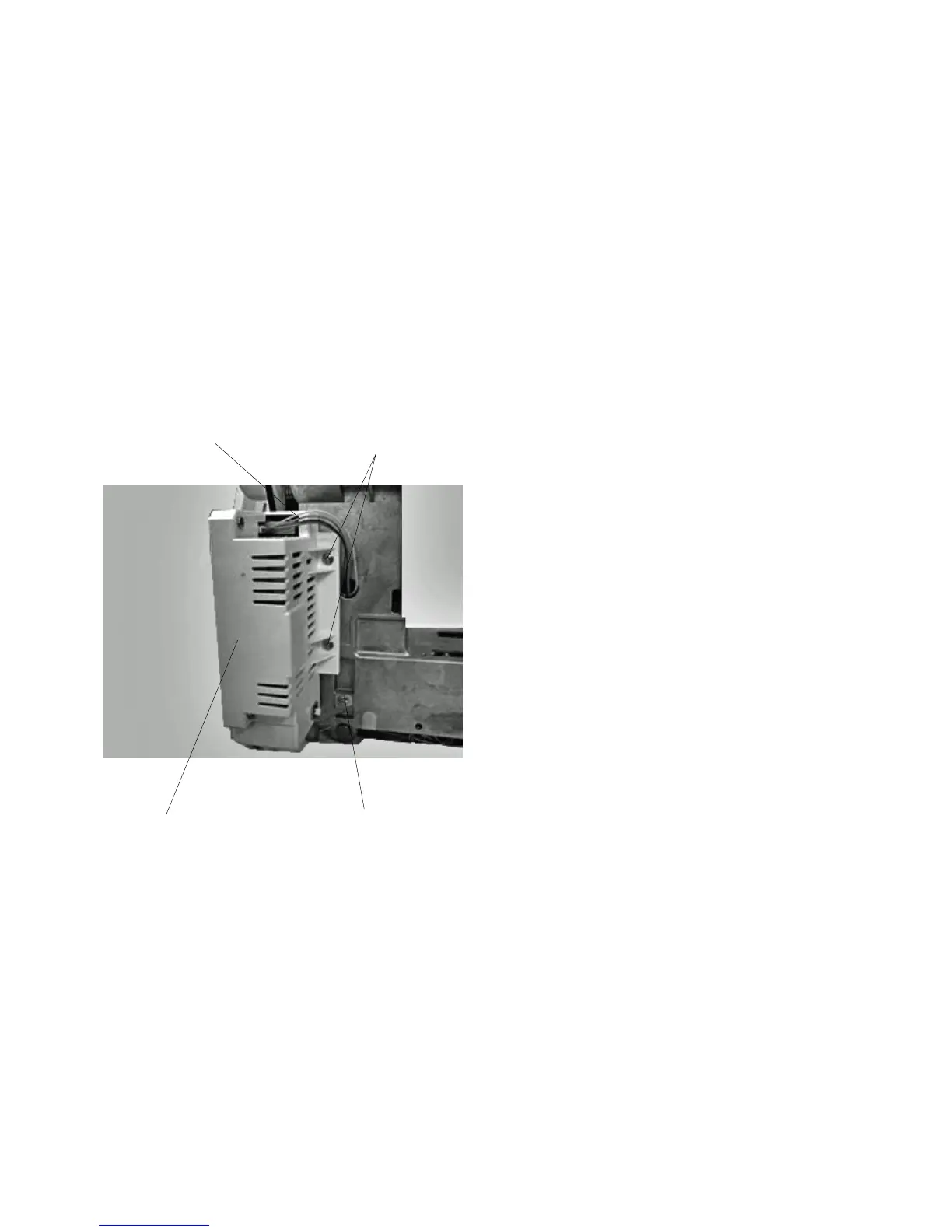
(A)
(B)
Replacing Switching Power Supply
To remove:
1 Remove the top cover, belt cover, base, and rear
cover.
2 Remove Screws (A) and (B), and remove the
switching power supply .
3 Disconnect the herness from switching power
supply.
To attach:
4Follow the above procedure in reverse.
q
q
w
w



 To Next Page