1
9500
Changing External Parts (1)
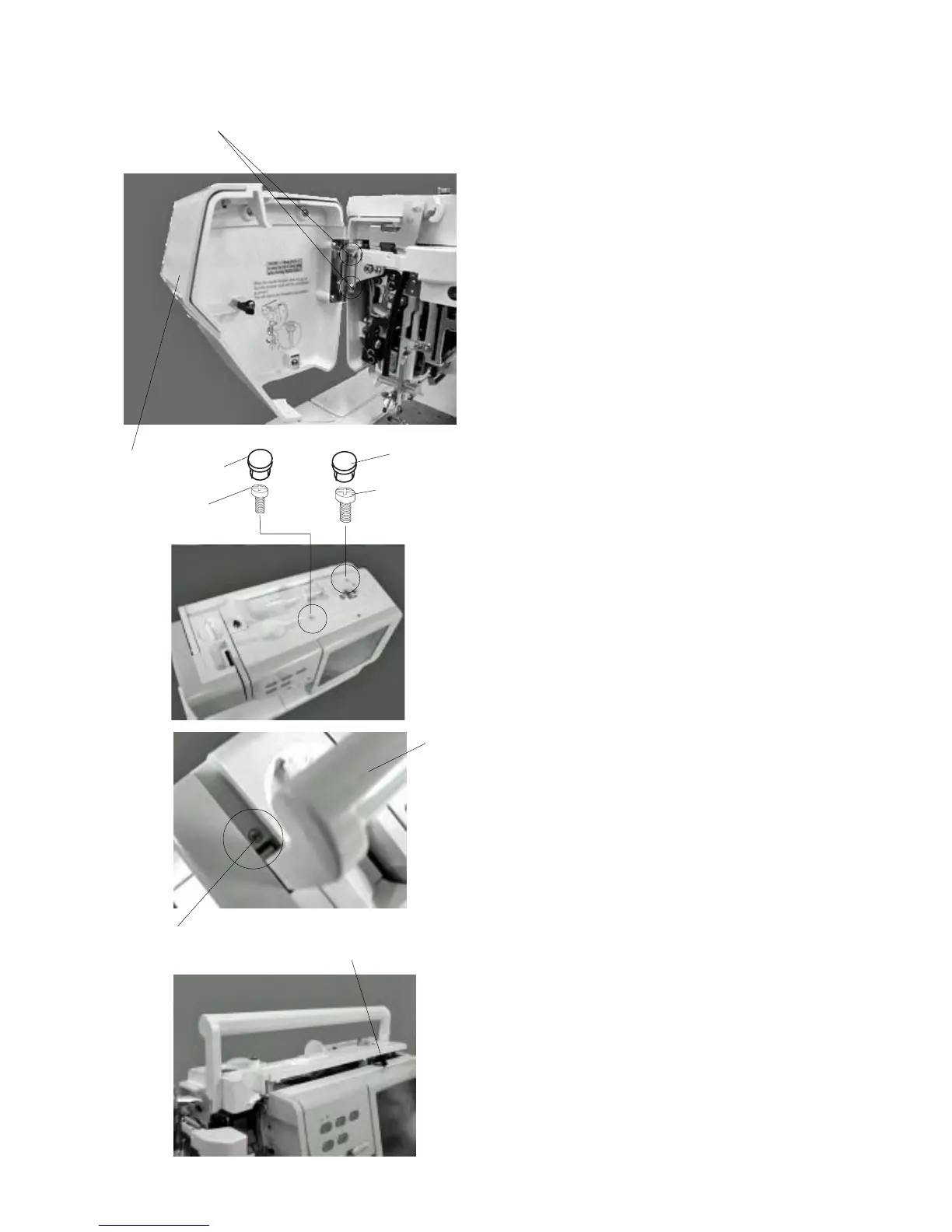
To remove:
1Remove Screws (A) (2 pcs) and remove the face
cover .
To attach:
2 Follow the above procedure in reverse.
Replacing the face cover
Replacing the top cover
To remove:
1 Open the face cover.
2 Remove the caps (2 pcs), Screw (B) and Screw
(C).
Raise the carrying handle and remove Screw (D).
3 Raise the top cover and disconnect the bobbin
winder connector . Renove the top cover from rear
side.
• Presser dial comes off together.
To attach:
4 Raise the carrying handle, insert the top cover
from rear side.
5 Connect the bobbin winder connector to the A
board.
6Tighten Screws (B), (C), (D).
7 Attach the caps.
e
q
q
w
r
(A)
e
r
w
w
(B)
(C)
(D)



 To Next Page