4
9500
Changing External Parts (4)
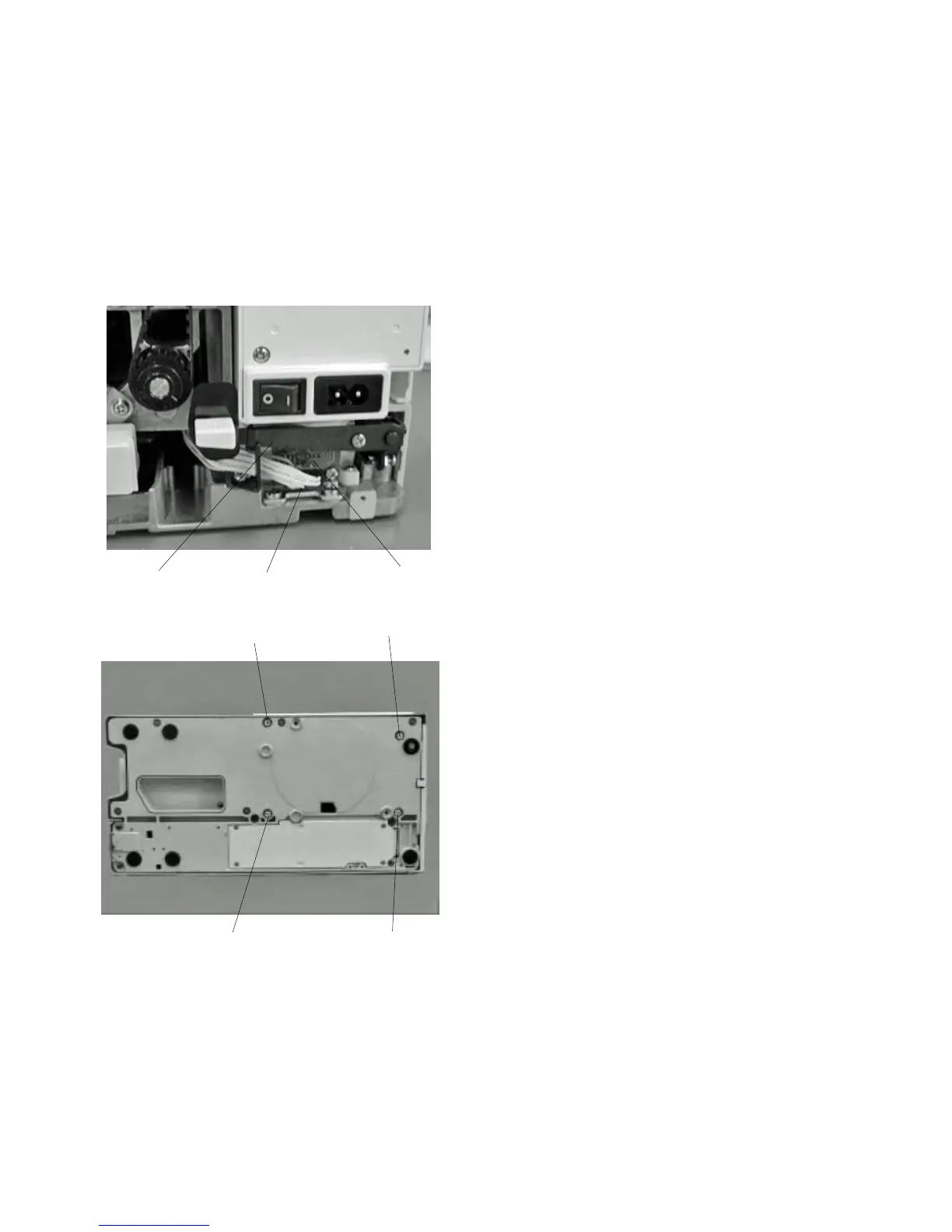
Replacing the base
To remove:
1 Remove the extension table.
2 Remove the belt cover.
3Disconnect the connector from the printed circuit
board S1 .
4 Loosen Screws (A) and (B) and remove the base.
To attach:
5 Insert the connector cords between the base and
arm. Make sure that the cords should not be
caught between the arm and base unit when
attaching it, then tighten Screws (4 pieces) temporarily.
6 Attach the extension table.
7 Match the extension table, base and free arm
position and tighten Screw (B).
8 Tighten the rest of Screws (A).
9 Insert the connector tothe printed circuit
board S1 from below the releasing arm .
10 Attach the belt cover.
q
w
q
w
(A)
(A)
(A)
(B)
e
e



 To Next Page