2
9500
Changing External Parts (2)
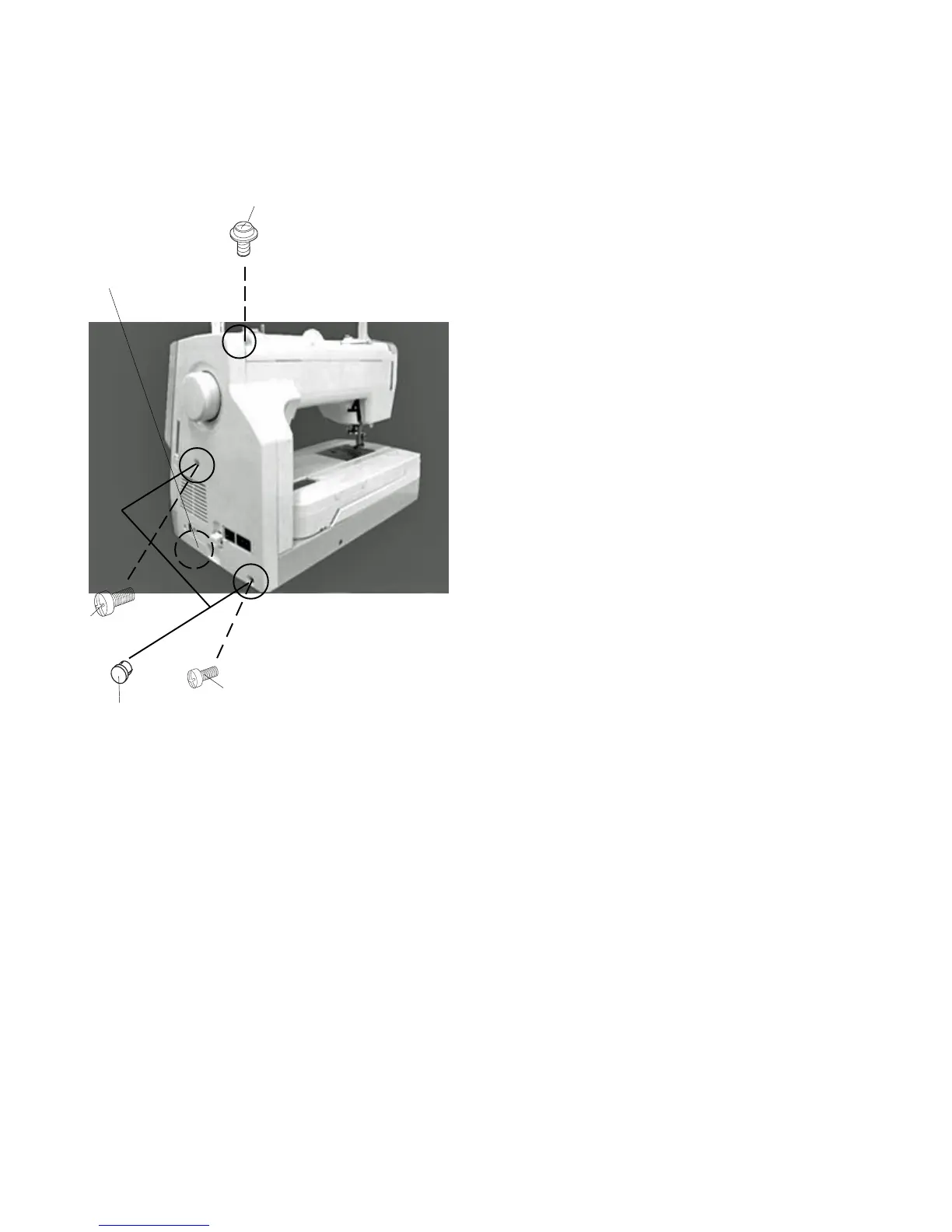
Replacing the belt cover
To remove:
1 LoosenScrew(A).
2 Remove the Caps and remove Screws (B) and
(C).
3 Remove the hook under the belt cover while push
ing below and remove the belt cover.
To attach:
4 Match the belt cover position with the front cover.
5 Attach the belt cover while pushing the hook below.
6 Tighten the Screws (A), (B) and (C).
7 Attach the caps .
w
(A)
(B)
(C)
q
q
w
q



 To Next Page