16
9500
(A)
(A)
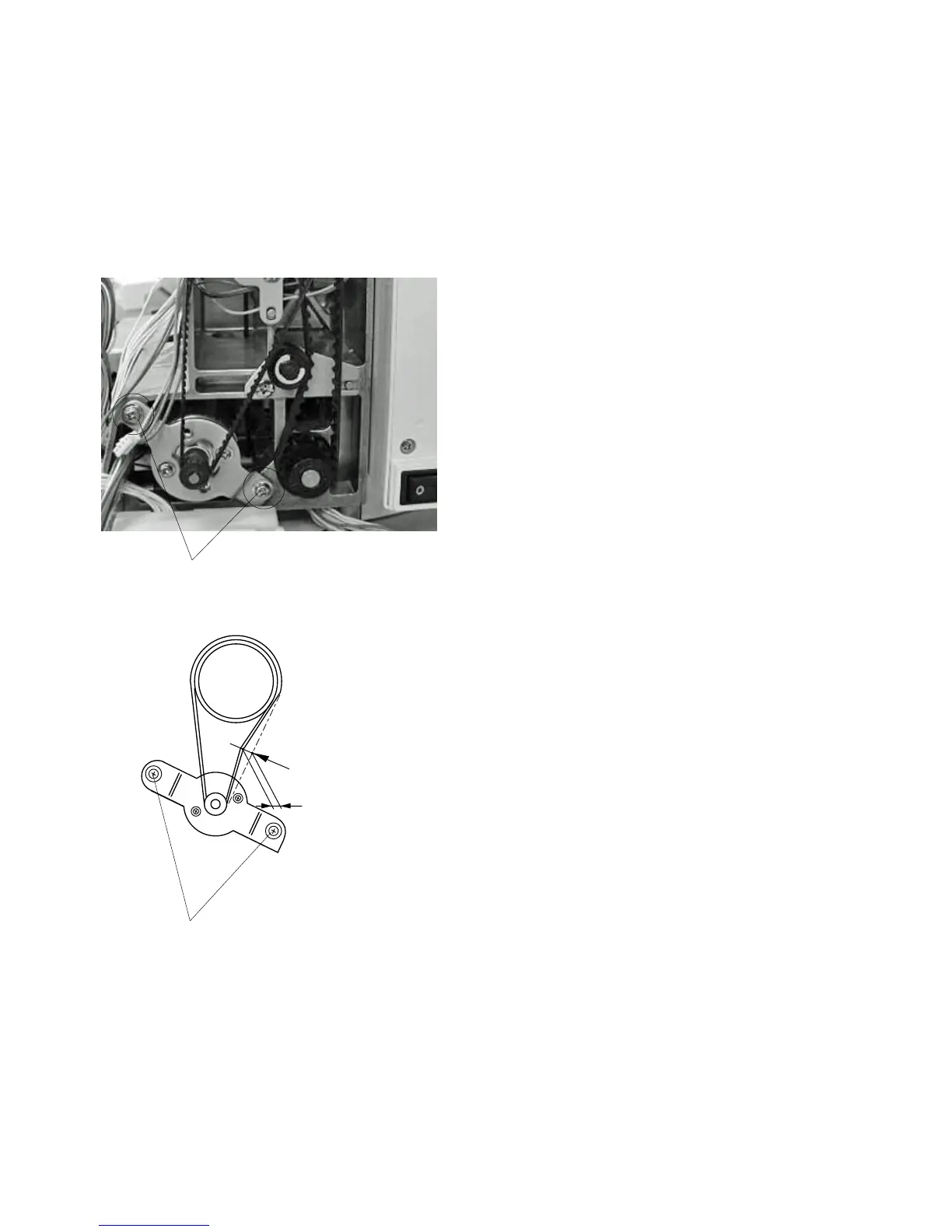
Replacing DC Motor and Motor Belt Tension Adjustment
Replacing DC Motor
To remove:
1Remove the belt cover.
2 Remove the motor belt.
3Disconnect the Motor connector from the printed cir
cuit board A.
4 Remove Screws (A) (2 pieces) and replace the
motor.
To attach:
5 Follow the above procedure in reverse.
Adjusting motor belt tension
1 Tighten Screws (A) (2 pieces) temporarily.
2 Adjust the Belt deflection to about 5.0 mm by
pressing the middle of the motor belt with your
finger with approximately 200 grams of pressure .
3 Tighten Screws (A) securely.
4 Attach the belt cover.
q
q
w
w



 To Next Page