5
9500
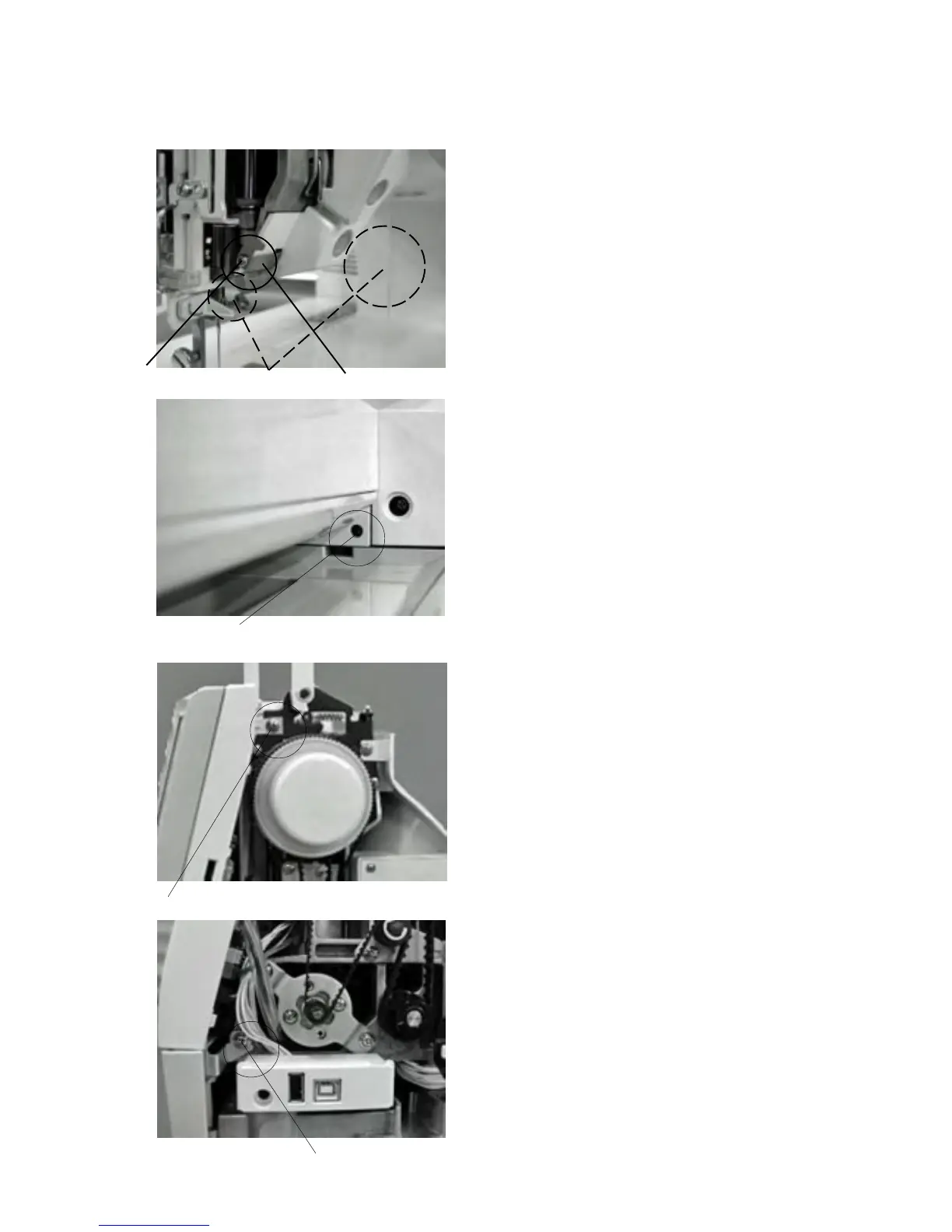
(A)
(B)
(C)
(D)
Changing External Parts (5)
To remove:
1 Open the face cover and remove the top cover, belt
cover and extension table.
2 Loosen Screw (A) and remove the arm thread guide
(rear) .
3 Loosen Screw(B).
4Loosen Screw (C) and remove (D).
5Disconnect the each connector and remove the front
cover.
Note: Unlock the hooks while removing the front
cover.
To attach:
6Follow the above procedure in reverse.
Front cover
q
q
w
w



 To Next Page