G3 Series EtherCAT
TM
Technical Manual
5-43
Subject to change without notice
www.asco.com/g3
Advanced Settings – Flip Display
• This a global setting that affects all modules
• Each module, however, has its own setting if different settings are required.
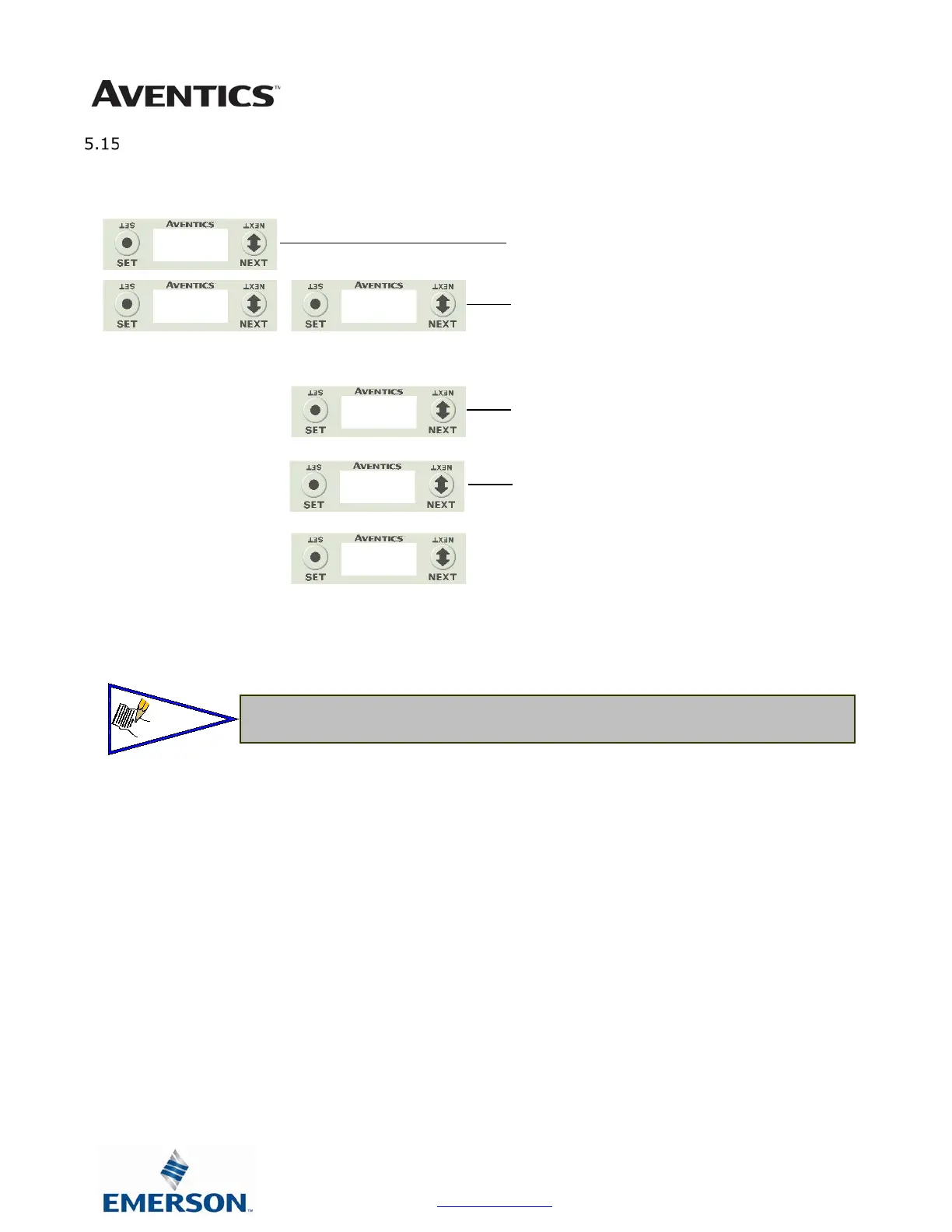
1. Press the SET button to enter the ADVANCED SETTINGS
menu.
2. Press the NEXT button to scroll to the CONFIG MENU /
FLIP DISPLAY.
Press the SET button to enter the CONFIG MENU / FLIP
DISPLAY.
3. The current state of the parameter is shown
4. Press the NEXT button to change this parameter
a. YES
b. RETURN
Press the SET button to confirm your choice.
SETTINGS
FLIP DISPLAY
FLIP DISPLAY
YES
YES
RETURN



 To Next Page
 Loading...