Section 16: Upgrading the Operational
Firmware
188
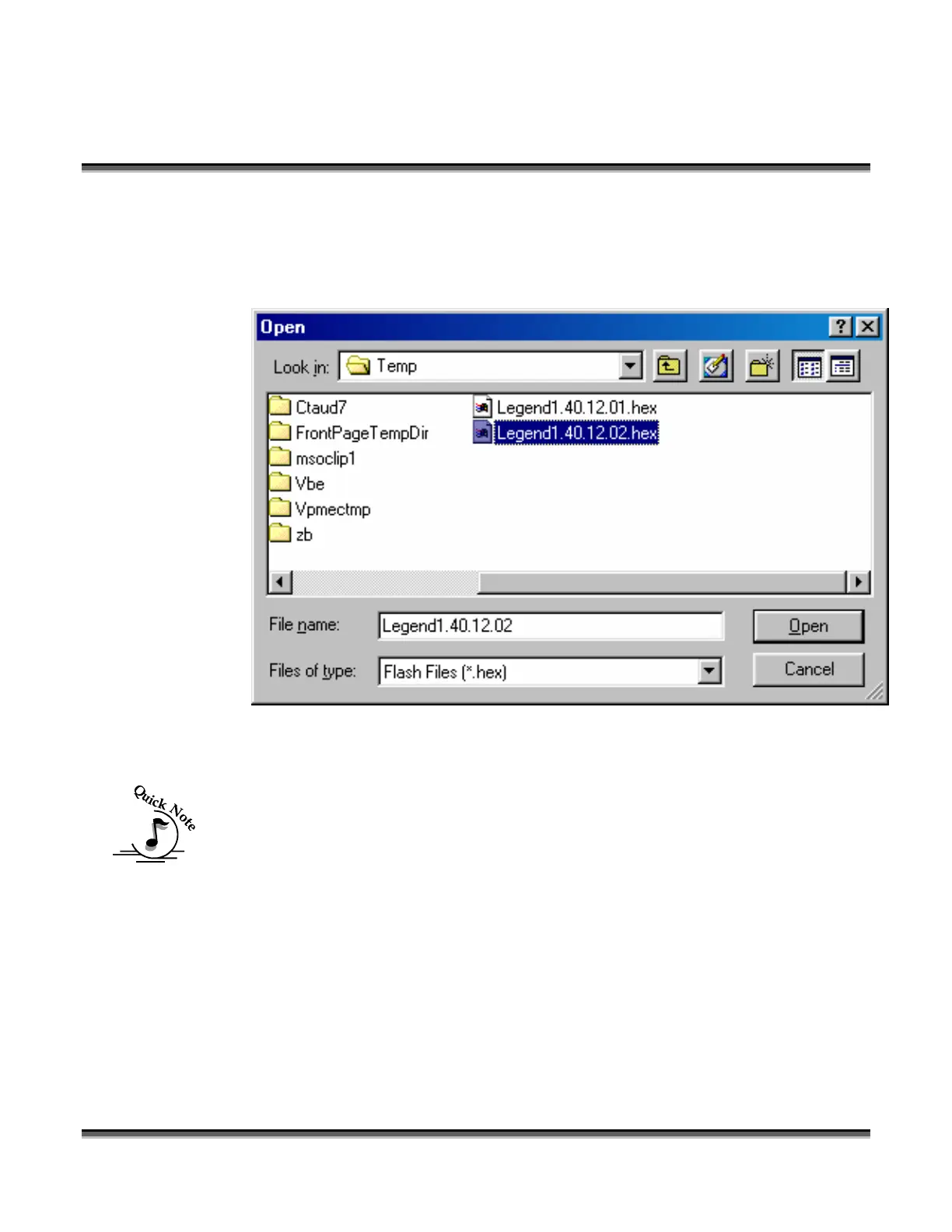
Navigate through the “Open” window to the C:\Windows\Temp folder. The file that
was extracted in step 2 above will be listed in this directory as a
Legend1.40.xx.xx.hex file.
Highlight the appropriate Legend 1.40.xx.xx.hex file then click the “Open” button.
Note - It is extremely important that you choose the proper file with a .hex
extension. Sending the wrong file to your Legend will render the upgrade
unsuccessful.


 To Next Page
 Loading...





